 MacPip
Use case
Make a product demo video on your Mac
A good demo shows where you click, skips the waiting and fits the place it’s going. Clacky does all three in one app: record, auto edit, captions, export.
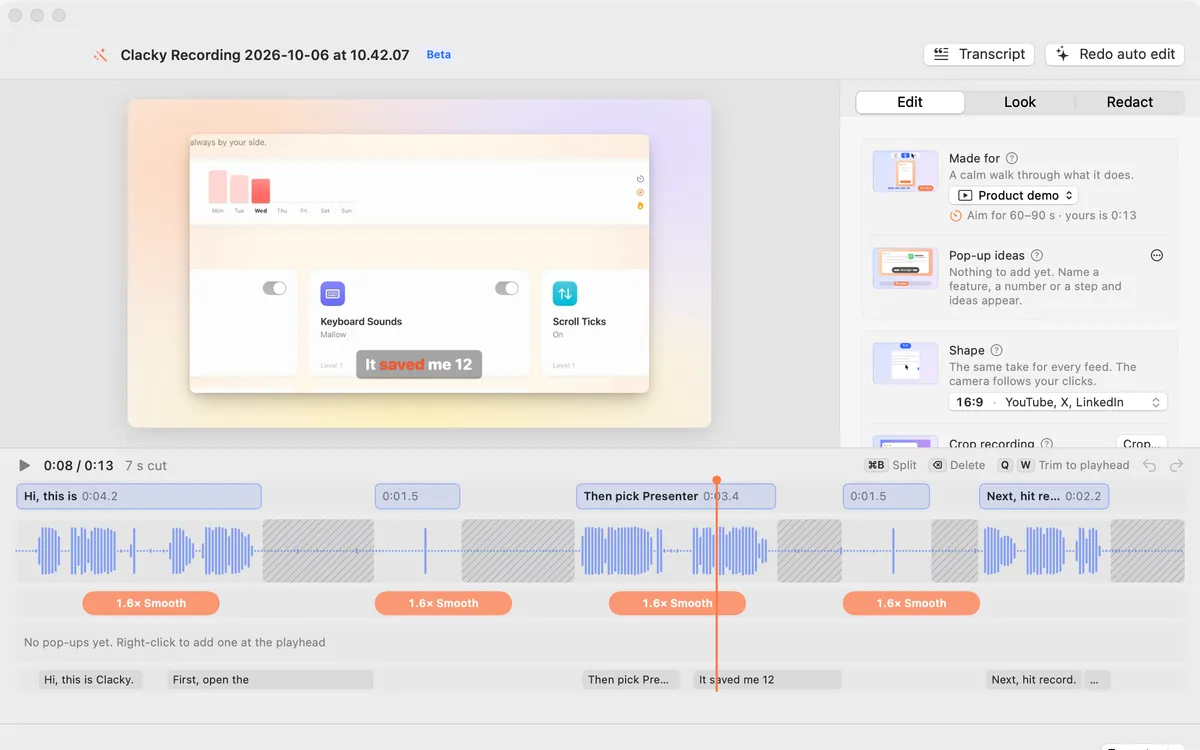
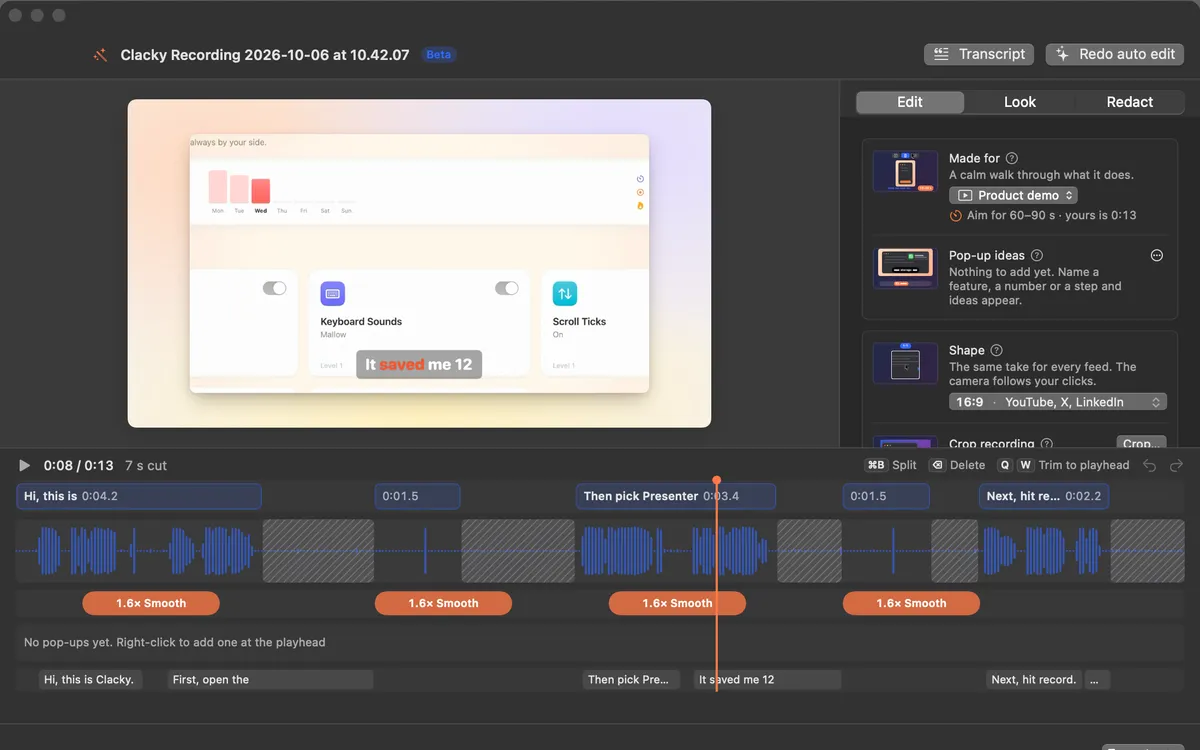
Record it
Clacky’s recorder captures your screen, a window or an area with click sounds and ripples, your Mac’s audio and your mic. A camera bubble is there if you want it, and Clacky’s own controls stay out of the video.
Let Studio do the first cut
Tell Studio what the video is for (Product demo, Launch teaser, Short, Tutorial or Build in public) and the shape, captions and cuts follow. Auto edit (Beta) cuts the quiet, zooms on bursts of clicks and speeds up loading screens. Click any cut to bring it back.
Pop-up ideas offers cards right where you said a feature or a number, and Find private info covers emails, keys and card numbers it spots on screen.
Export for where it’s going
Pick X, YouTube, LinkedIn, TikTok, Reels, Shorts or a GIF, choose a file size and Studio makes it fit. Float the recording on a background and tilt it in 3D for a launch look.
Questions
Is my demo uploaded anywhere?
How is it different from Screen Studio?
Facts checked on 22 October 2026.
Related
- StudioStudio records your Mac screen with clicks heard and ripples seen, edits by transcript, adds captions on your Mac, and polishes screenshots.
- Screen recording with click soundsRecord your Mac screen with every click heard and a ripple seen, plus Mac audio and your mic. No editing afterwards. macOS 15 or later.
- Auto editStudio cuts the quiet between your sentences, zooms in on every burst of clicks and speeds up the waiting. Click a cut to bring it back.
- Made forTell Studio what the video is made for: Product demo, Launch teaser, Short, Tutorial or Build in public. The shape, captions and cuts follow.
- Vertical video from a screen recordingMake a 9:16 clip for TikTok, Reels and Shorts from a Mac screen recording, with the camera following your pointer. Also 4:5, 16:9 and 1:1.
- Clacky vs Screen StudioClacky vs Screen Studio for Mac: price (once or monthly), click sounds, a click ripple, auto zoom, captions and editing. A fair, sourced comparison.
Make something on your Mac today.
Every feature. $4.99 once.