

Arena.
Crisp · Blitz
Crisp
A sharp, bright snap with nothing wasted.
 MacPipআপনার পরের Mac অ্যাপ এখানেই।নতুন Mac অ্যাপ খুঁজুন, অথবা আপনার অ্যাপ বিনামূল্যে লঞ্চ করুন।macpip.com →
ক্লিক ও কী-এর শব্দ, কার্সারের ঢেউ, স্ক্রিন রেকর্ডার, স্ক্রিনশট আর Clackyland, সবই আপনার মেনু বারে।
Clacky একটি Mac অ্যাপ। লিংকটি ইমেইলে নিন আর আপনার Mac-এ খুলুন।
অথবা এখনই কিনুন, পরে ইনস্টল করুন · $4.99একবারে $4.99প্রায় ৳604 (আনুমানিক দাম। পেমেন্ট হয় USD-তে; আপনার ব্যাংক এটি টাকায় বদলে নেয়।)
সাউন্ড: macOS 13+ · স্ক্রিনশট: macOS 14+ · রেকর্ডার: macOS 15+
কীবোর্ডের শব্দ শুধু কী চাপা আর ছাড়া শোনে। আপনি কোন কী টাইপ করেন, Clacky তা কখনো রেকর্ড করে না, সংরক্ষণ করে না, কোথাও পাঠায়ও না, আর Secure Input মেনে চলে।
30 সেকেন্ডের স্পিড টেস্ট শুরু করতে যা খুশি টাইপ করুন
আপনি যা টাইপ করেন, তা কখনো এই পেজের বাইরে যায় না। আপনার স্কোর পাঠানো হয় শুধু আপনি পোস্ট করলে।
 Clacky
এক নজরে আপনার Clacky। প্রতি কার্ডে একটি সুইচ, কার্ড টেনে ক্রম বদলান; আরও টুল নিচে।
স্পিড দেখতে কীবোর্ডে টাইপ করুন
কীবোর্ড শব্দ
Clacky আপনার কীবোর্ডও বাজায়: 9টি ফ্যামিলিতে 29টি শব্দ, ক্রিমি থক থেকে টাইপরাইটারের ঘণ্টি পর্যন্ত। আপনার কীবোর্ডে টাইপ করুন বা কী-গুলোতে ট্যাপ করুন।
Clacky কী করে
শব্দ, স্ক্রিন রেকর্ডার, স্ক্রিনশট আর একটি ছোট্ট শহর। সবই আপনার মেনু বারে।
Crisp Arena
37 টি ক্লিক শব্দ
প্রতিটি ক্লিকে একটি ঢেউ
একটি কী টাইপ করুন বা ট্যাপ করুন। এখন শুনছেন Mallow।
কিবোর্ডের শব্দ
আপনি কোন কী টাইপ করেন, তা কখনো রেকর্ড করে না, সংরক্ষণ করে না, পাঠায়ও না।
কীবোর্ডের শব্দ শুধু কী চাপা আর ছাড়া শোনে। আপনি কোন কী টাইপ করেন, Clacky তা কখনো রেকর্ড করে না, সংরক্ষণ করে না, কোথাও পাঠায়ও না, আর Secure Input মেনে চলে।
শুরু থেকেই প্রাইভেট
স্ক্রলের প্রতিটি খাঁজে একটি নরম টিক
স্ক্রল টিক
Clackyland, আপনার Blip-এর ছোট্ট শহর
অ্যারো, ব্লার আর ফ্রেমসহ স্ক্রিনশট
macOS 14 বা নতুন লাগবে
স্ক্রিন রেকর্ডার, আপনার ক্লিক আর আপনার কণ্ঠসহ
macOS 15 বা নতুন লাগবে
37 click sounds in 8 families. Press play on any card to hear one, or tap a name to keep it.
Crisp · Blitz
A sharp, bright snap with nothing wasted.
Beige · Rollerball
Loud and hollow, like the mouse on a 90s desktop.
Hush · Tap
A muffled click for late nights.
Bubble · Pop
A round little bloop that rises as it pops.
Tok · Pebble
A hollow wooden block, struck once. Round and resonant.
Ballpoint · Airpop
A retractable pen: a plastic double click and a hint of spring.
Shutter · Toggle
A film camera firing: a crisp release, then the curtain.
Pumpkin · Cauldron
A knuckle on a big, hollow pumpkin: a deep, round thunk.
Clacky is yours to tune. Every one of these is a real setting in the app.
37 click sounds. Eight families, from Arena to Spooky.
29 keyboard sounds. Nine families, from creamy thock to a typewriter.
Ripples. Ring, Double, Glow or Dot, in your own colours.
Stereo. Off, Subtle or Wide, so a click on the left sounds left.
Levels. Press, release, scroll and keys, each its own slider.
Your notch. Small, Standard or Large, tiles in your order.
Card themes. Mac, Mac Light, Mac Dark, Clacky or one colour you pick.
Camera bubble. A circle, a rounded square, or 16:9, 4:3 and 9:16.

The Closet. Hats, scarves and more for your Blip, earned as you click.
Take a closer look
Pick a part and watch it come out of the notch.
 The notch at rest
Agents, recordings, music and batteries show up by the notch, then step aside when they're done.

Batteries
Mac Health
All calmYour agents, by the notch. When Claude Code is done or needs you, your Blip pops out to say so. Keep Awake can wait for it too.
26 small tools live inside Clacky, each with its own switch in My Kit. Keep them , turn the ones you don’t need, and they come back just as you left them.
Memory, CPU, battery, busy apps and what fills your disk, with Boop.
Stops your Mac and its screen from sleeping.
One shortcut mutes your mic in every app. Hold it to talk.
Your last 50 copies: search, pin, paste. Off by default, stays on this Mac.
Pick any colour on screen. Copied as HEX, RGB, HSL or SwiftUI.
Each app its own volume up to 200 %, mute and output.
Pomodoro sessions with soft ambient sound, live in the notch.
Quick notes and today's checklist. Stays on this Mac.
Type :sig, get your signature. Your snippets, anywhere you type.
Drag a window to an edge for halves and quarters, or use ⌃⌥ arrows.
Tuck rarely used menu bar icons behind a divider. Notch-safe.
Remove an app and the files it left in your Library. Moves to Trash.
Record, Code, Focus, Call, Quiet: one click switches a set of tools.
A cursor halo, drawing and zoom for demos and talks.
Your script under the camera. Never shows in recordings.
Turn any recording into a small, shareable GIF.
Read a QR code or barcode on screen. Links come without trackers.
Speak, and paste it as a prompt anywhere.
A sound and a nudge when your AI agent needs you.
Claude Code's tokens today and this week, and what they'd cost on the API.
Stops a worn mouse from double-clicking by itself.
Live up and down speed, and which apps are using it.
Save your Clacky set-up to a file and open it on your new Mac.
Spotify or Music in the notch: the song, its cover, play, pause and skip.
Boop catches a coin in the notch for every new sale on Polar or Stripe.
Your Mac, AirPods, mouse, keyboard and trackpad levels, in the notch.
Memory, CPU, battery, busy apps and what fills your disk, with Boop.
Stops your Mac and its screen from sleeping.
One shortcut mutes your mic in every app. Hold it to talk.
Your last 50 copies: search, pin, paste. Off by default, stays on this Mac.
Pick any colour on screen. Copied as HEX, RGB, HSL or SwiftUI.
Each app its own volume up to 200 %, mute and output.
Pomodoro sessions with soft ambient sound, live in the notch.
Quick notes and today's checklist. Stays on this Mac.
Type :sig, get your signature. Your snippets, anywhere you type.
Drag a window to an edge for halves and quarters, or use ⌃⌥ arrows.
Tuck rarely used menu bar icons behind a divider. Notch-safe.
Remove an app and the files it left in your Library. Moves to Trash.
Record, Code, Focus, Call, Quiet: one click switches a set of tools.
A cursor halo, drawing and zoom for demos and talks.
Your script under the camera. Never shows in recordings.
Turn any recording into a small, shareable GIF.
Read a QR code or barcode on screen. Links come without trackers.
Speak, and paste it as a prompt anywhere.
A sound and a nudge when your AI agent needs you.
Claude Code's tokens today and this week, and what they'd cost on the API.
Stops a worn mouse from double-clicking by itself.
Live up and down speed, and which apps are using it.
Save your Clacky set-up to a file and open it on your new Mac.
Spotify or Music in the notch: the song, its cover, play, pause and skip.
Boop catches a coin in the notch for every new sale on Polar or Stripe.
Your Mac, AirPods, mouse, keyboard and trackpad levels, in the notch.
All 26 on. Mac Health, Keep Awake, Mic Mute and the rest, one switch each.
For demos and talks. A ring follows your pointer, hold ⌃⌥D to draw and the ink fades when you let go, ⌃⌥Z zooms in where you click.
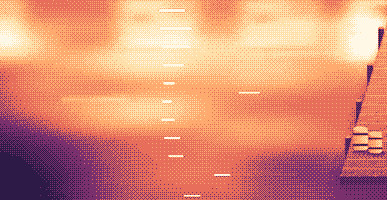
Your lines scroll right under the camera. They never show in your recordings or screenshots.
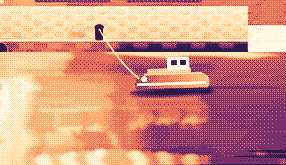
Hi, I'm Sam.
Today I want to show you
how I edit a video
in under two minutes.
First, I drop my recording
into Studio,
and the pauses are cut
before I even press play.
Then I add my music,
and I export.
Click a pixel and it's on your clipboard as HEX, RGB, HSL or SwiftUI. Your last 10 stay close.

Real posts and messages from people who tried it, word for word. Tap one to read the original.

Vedanth
@vedanthk_
The scroll sounds, every turn
“I love it dude! Especially the scroll sounds. You have put a lot of work into the app, and it shows at every turn. Very happy with it 🔥💯”

Iniyan
@iniyanai
Ripples right in the recording
“ripples baked right into the recording means no editing pass for demo videos, love it”
Customer
Shared without a name
7000 clicks in 2 days
“It's been a great experience with the clicky sounds haha, having about 7000 clicks in 2 days its crazy, Loved the concept!”

Joe
@joe_the_worker
Small sounds, big difference
“the app I never knew I needed 😂 incredible big a difference small sounds make”

Rakesh
@heyrakeshdotcom
Clicking and scrolling
“Loving the app Justinas… scrolling and clicking with it so satisfying”

Eknoor
@eknoor01
Bought it on day one
“Bought it the moment I got the mail, Been using it since, Loved it!”
Customer
Shared without a name
A happy customer
“Loving it, Thanks for building it man”
লাইভ
clacky.app-এ যে কেউ ক্লিক করলে সঙ্গে সঙ্গে এখানে দেখা যায়। ক্লিক করে দেখুন সংখ্যা বাড়ছে।
এই ওয়েবসাইটের ক্ল্যাক, এখন পর্যন্ত
শীর্ষ দেশ
এখন পর্যন্ত, লাইভ
Shown by country only, never anything finer.
One payment, no subscription. Move it to another Mac any time.
One licence is for 1 Mac. Secure checkout by Polar, in US dollars.
 Clacky
$4.99once
The price of a sound app, with a screen recorder, screenshots and Clackyland too. For 1 Mac, with every update.
সাউন্ড: macOS 13+ · স্ক্রিনশট: macOS 14+ · রেকর্ডার: macOS 15+
Opens Polar's checkout in a new tab.
কীবোর্ডের শব্দ শুধু কী চাপা আর ছাড়া শোনে। আপনি কোন কী টাইপ করেন, Clacky তা কখনো রেকর্ড করে না, সংরক্ষণ করে না, কোথাও পাঠায়ও না, আর Secure Input মেনে চলে।
Try it first, right hereThe keyboard and the clicks at the top of this page are Clacky's real sounds. Play with them before you buy.
Clacky একটি ছোট্ট Mac মেনু-বার অ্যাপ, যা প্রতিটি অ্যাপে প্রতিটি ক্লিক, স্ক্রল আর কী চাপে একটি নরম শব্দ বাজায়, আর প্রতিটি ক্লিকের নিচে একটি রিপল আঁকে। এটি ভিডিওতে ক্লিকের শব্দসহ আপনার স্ক্রিন রেকর্ড করে, স্ক্রিনশট নেয়, আর আপনি কাজ করতে করতে Clackyland নামে ছোট্ট একটি বন্দর শহর গড়ে তোলে।
Clacky ব্যবহার করা নিরাপদ। কীবোর্ডের শব্দ শুধু কী ডাউন/আপ শোনে। Clacky আপনি কোন কী টাইপ করেন তা কখনো রেকর্ড, সংরক্ষণ বা পাঠায় না, আর Secure Input মেনে চলে। এটি Apple-এর সাইন আর নোটারাইজ করা, আর এর শব্দের জন্য একটিই পারমিশন লাগে, Input Monitoring; রেকর্ডার আর স্ক্রিনশট Screen Recording চায় শুধু যখন আপনি সেগুলো ব্যবহার করেন।
Clacky-র দাম একবার $4.99, 1টি Mac-এর জন্য, প্রতিটি আপডেটসহ। কোনো সাবস্ক্রিপশন নেই। আগে clacky.app-এ ব্রাউজারে ক্লিকের শব্দ আর রিপল ব্যবহার করে দেখতে পারেন।
হ্যাঁ, ব্রাউজারে: clacky.app-এর ডেমোতে ক্লিকের শব্দ আর রিপল বাজে, তাই টাকা দেওয়ার আগেই বুঝতে পারবেন Clacky কেমন। অ্যাপটির দাম একবার $4.99, 1টি Mac-এর জন্য, প্রতিটি আপডেটসহ, আর 7 দিনের মধ্যে আপনি রিফান্ড চাইতে পারেন (যেখানে স্থানীয় আইনে বেশি সময় পান, সেখানে 14 দিন)।
হ্যাঁ, কেনার 7 দিনের মধ্যে (যেখানে স্থানীয় আইনে বেশি সময় পান, সেখানে 14 দিন)। hello@clacky.app-এ ইমেইল করুন, আর রিফান্ড Polar-এর মাধ্যমে ফেরত যায়, যারা চেকআউট সামলায়।
Clacky macOS 13 Ventura বা তার পরের ভার্সনের যেকোনো Mac-এ চলে, Apple silicon আর Intel দুটোতেই। স্ক্রিন রেকর্ডারের জন্য macOS 15 আর স্ক্রিনশট স্টুডিওর জন্য macOS 14 লাগে। এটি শুধু clacky.app-এ বিক্রি হয়, Mac App Store-এ নয়।
একটি লাইসেন্স একবারে 1টি Mac-এর জন্য, আর যখন খুশি সরাতে পারেন: পুরোনো Mac-এ Clacky-তে অন্য Mac-এ সরান বেছে নিন, তারপর নতুনটায় আপনার কি পেস্ট করুন। একসঙ্গে দুটি Mac-এর জন্য দ্বিতীয় একটি লাইসেন্স কিনুন। আগে Clacky কিনেছেন? আপনার লাইসেন্স যতগুলো Mac নিয়ে এসেছিল, ততগুলোই থাকে।
Clacky হালকা। আমাদের নিজেদের পরীক্ষায় (29 অক্টোবর 2026, macOS 26.7.1-সহ একটি M5 Pro MacBook Pro-তে Clacky 2.7.13) ব্যাকগ্রাউন্ডে এক মিনিট চলার সময় এটি একটি CPU কোরের প্রায় 1 থেকে 3% ব্যবহার করেছে। ব্যাটারি লাইফ আমরা এখনো মাপিনি। মেনু বারের একটি সুইচে Clacky বন্ধ হয়ে যায়।
হ্যাঁ। আপনার Mac যেখানে বাজায় Clacky-ও সেখানে বাজায়, AirPods আর Bluetooth হেডফোনসহ, আর 2.7.15 থেকে আপনি সেগুলো খুললে আর আবার পরলে এটি সেগুলোকে অনুসরণ করে। শুধু হেডফোনে চালু করলে শব্দ কখনো স্পিকারে বাজে না।
না। Clacky (clacky.app) নিজস্ব একটি অ্যাপ, অন্য একজন নির্মাতার বানানো। Klack (tryklack.com) আর Klakk (tryklakk.com) অন্য কিবোর্ড সাউন্ড অ্যাপ। Clacky মাউস, ট্র্যাকপ্যাড আর স্ক্রলের শব্দও বাজায়, ক্লিক রিপল আঁকে আর আপনার স্ক্রিন রেকর্ড করে। দেখুন Clacky বনাম Klack আর Clacky বনাম Klakk।
হ্যাঁ। যেকোনো অ্যাপে শব্দ বাজে, গেমসহ (কোনো অ্যাপে Secure Input চালু থাকলে কিবোর্ডের শব্দ থেমে থাকে, যেমন পাসওয়ার্ড ফিল্ডে)। কলের সময় নীরব, ডিফল্টভাবে চালু, কোনো কল অ্যাপ বা আপনার ব্রাউজার মাইক ব্যবহার করলে Clacky-কে চুপ রাখে (Zoom, Meet, FaceTime, Teams, Discord আর অন্যরা), তাই কলে থাকা মানুষ আপনার ক্লিক শুনতে পান না। গেমের ভেতরের ভয়েস চ্যাটের জন্য এটা মাইক ব্যবহার করা যেকোনো অ্যাপে বাড়িয়ে দিন, বা গেমটি এই অ্যাপগুলোতে নীরব-এ যোগ করুন। রিপল আপনার স্ক্রিনে আঁকা হয়, তাই আপনি স্ক্রিন শেয়ার করলে মানুষ সেটা দেখতে পান।
হ্যাঁ। রিপল আপনার আসল স্ক্রিনে আঁকা হয়, তাই যেকোনো রেকর্ডার সেটি ধরে, আর Clacky-র নিজের রেকর্ডার আপনার Mac-এর শব্দও রেকর্ড করে, তাই ক্লিকগুলো ভিডিওতে থাকে। রেকর্ডারের জন্য macOS 15 লাগে।
8টি ফ্যামিলিতে (Arena, Desk, Studio, Toybox, Tingle, Fidget, Analog আর Spooky) 37টি ক্লিকের শব্দ, 9টি ফ্যামিলিতে 29টি কিবোর্ড শব্দ আর 8টি স্ক্রল টিক স্টাইল। ইনস্টল করার আগে clacky.app-এ প্রতিটি শুনতে পারেন।
Clackyland হলো Clacky-র ভেতরের একটি বন্দর শহর, যা আপনি Mac ব্যবহার করার সঙ্গে সঙ্গে বড় হয়। আপনার ক্লিকে কুকি ফ্যাক্টরিতে কুকি বানানো হয়, কুকি দিয়ে কেনা যায় আপনার Blip-এর জন্য নতুন লুক, ছোট্ট যে প্রাণীটি সেখানে থাকে, আর আপনি যত বেশি দিন Mac ব্যবহার করেন ভবনগুলো তত বড় হয়।
Clacky বন্ধ করুন আর Applications থেকে Trash-এ টেনে নিন। পুরোপুরি পরিষ্কার করতে System Settings → Privacy & Security → Input Monitoring থেকেও এটি সরান (আর রেকর্ডার ব্যবহার করে থাকলে Screen Recording থেকেও), ~/Library/Application Support-এর Clacky ফোল্ডার আর ~/Library/Preferences/app.clacky.Clacky.plist ফাইলটি মুছে দিন। আপনার রেকর্ডিং ~/Movies/Clacky-তে আর স্ক্রিনশট ~/Pictures/Clacky Screenshots-এ থাকে, যতক্ষণ না আপনি মুছে দেন।
না। রেকর্ডিং আর স্ক্রিনশট আপনার Mac-এ সংরক্ষিত হয় আর সেখানেই থাকে, যদি না আপনি নিজে শেয়ার করেন।
দিনে একবার প্রতিটি Mac একটি বেনামী চেক-ইন পাঠায়: শুধু এর জন্যই বানানো একটি র্যান্ডম ID, Clacky আর macOS-এর ভার্সন, আর এটি লাইসেন্সপ্রাপ্ত কিনা, যাতে আমরা জানতে পারি কত Mac-এ Clacky চলে। আপনি কী করেন সে সম্পর্কে এটি কিছুই বলে না। ব্যবহারের পরিসংখ্যান আলাদা আর ঐচ্ছিক: Clacky আগে জিজ্ঞেস করে, আর আপনি যেকোনো সময় Settings-এ তা বন্ধ করতে পারেন (বেনামী ব্যবহারের পরিসংখ্যান শেয়ার করুন)। এতে বলা থাকে কোন ফিচার আর শব্দ ব্যবহার হয়, কখনো আপনি কী টাইপ করেন, কোন কী চাপেন, আপনার স্ক্রিন বা আপনি কোথায় ক্লিক করেন তা নয়। এ ছাড়া Clacky অনলাইনে যায় আপডেট দেখতে, আপনার লাইসেন্স যাচাই করতে আর, আপনি ব্যবহার করলে, Friends আর Bazaar-এর জন্য। প্রাইভেসি পেজে প্রতিটি রিকোয়েস্টের তালিকা আছে।
এখনো না। Clacky একটি Mac অ্যাপ। ফিডব্যাক পেজে আপনার ইমেইল রেখে যান, কিছু বদলালে জানতে পারবেন।
না। আগে Clacky কিনে থাকলে আপনার লাইসেন্স সব আপডেটসহ চলতে থাকবে।
Click and key sounds, a screen recorder, screenshots, a tiny harbour town and 26 small tools.
$4.99 once, for 1 Mac, with every update.
সাউন্ড: macOS 13+ · স্ক্রিনশট: macOS 14+ · রেকর্ডার: macOS 15+