


Arena.
Crisp · Blitz
Crisp
A sharp, bright snap with nothing wasted.
 MacPipLa tua prossima app per Mac è qui.Scopri nuove app per Mac o lancia la tua gratis.macpip.com →
Suoni di clic e tasti, onde sotto il cursore, registratore dello schermo, screenshot e Clackyland, tutto nella barra dei menu.
Clacky è un’app per Mac. Ricevi il link via email e aprilo sul tuo Mac.
Oppure compra ora e installa dopo · $4.99$4.99circa 4,44 € (Indicativo. Paghi in USD; la conversione la fa la tua banca.) una volta
Suoni: macOS 13+ · Screenshot: macOS 14+ · Registratore: macOS 15+
I suoni della tastiera ascoltano solo pressione e rilascio dei tasti. Clacky non registra, non salva e non invia mai quali tasti scrivi, e rispetta Secure Input.
Scrivi qualsiasi cosa per iniziare un test di velocità da 30 secondi
Quello che scrivi non lascia mai questa pagina. Il punteggio si invia solo se lo pubblichi.
 Clacky
Il tuo Clacky a colpo d’occhio. Un interruttore per scheda, trascina le schede per riordinarle; altri strumenti più sotto.
Scrivi sulla tastiera per misurare la velocità
Suoni della tastiera
Clacky fa suonare anche la tua tastiera: 29 suoni in 9 famiglie, dal thock cremoso al campanello della macchina da scrivere. Scrivi sulla tastiera o tocca i tasti.
Cosa fa Clacky
Suoni, un registratore dello schermo, screenshot e una piccola città. Tutto nella barra dei menu.
Crisp Arena
37 suoni di clic
Un’onda a ogni clic
Scrivi o tocca un tasto. Stai ascoltando Mallow.
Suoni della tastiera
Non registra, non salva e non invia mai quali tasti scrivi.
I suoni della tastiera ascoltano solo pressione e rilascio dei tasti. Clacky non registra, non salva e non invia mai quali tasti scrivi, e rispetta Secure Input.
Privato per progetto
Un leggero tic per ogni scatto di scorrimento
Scatti di scorrimento
Clackyland, una cittadina per il tuo Blip
Screenshot, con frecce, sfocatura e cornici
Richiede macOS 14 o successivo
Registratore dello schermo, con i tuoi clic e la tua voce
Richiede macOS 15 o successivo
37 click sounds in 8 families. Press play on any card to hear one, or tap a name to keep it.
Crisp · Blitz
A sharp, bright snap with nothing wasted.
Beige · Rollerball
Loud and hollow, like the mouse on a 90s desktop.
Hush · Tap
A muffled click for late nights.
Bubble · Pop
A round little bloop that rises as it pops.
Tok · Pebble
A hollow wooden block, struck once. Round and resonant.
Ballpoint · Airpop
A retractable pen: a plastic double click and a hint of spring.
Shutter · Toggle
A film camera firing: a crisp release, then the curtain.
Pumpkin · Cauldron
A knuckle on a big, hollow pumpkin: a deep, round thunk.
Clacky is yours to tune. Every one of these is a real setting in the app.
37 click sounds. Eight families, from Arena to Spooky.
29 keyboard sounds. Nine families, from creamy thock to a typewriter.
Ripples. Ring, Double, Glow or Dot, in your own colours.
Stereo. Off, Subtle or Wide, so a click on the left sounds left.
Levels. Press, release, scroll and keys, each its own slider.
Your notch. Small, Standard or Large, tiles in your order.
Card themes. Mac, Mac Light, Mac Dark, Clacky or one colour you pick.
Camera bubble. A circle, a rounded square, or 16:9, 4:3 and 9:16.

The Closet. Hats, scarves and more for your Blip, earned as you click.
Take a closer look
Pick a part and watch it come out of the notch.
 The notch at rest
Agents, recordings, music and batteries show up by the notch, then step aside when they're done.

Batteries
Mac Health
All calmYour agents, by the notch. When Claude Code is done or needs you, your Blip pops out to say so. Keep Awake can wait for it too.
26 small tools live inside Clacky, each with its own switch in My Kit. Keep them , turn the ones you don’t need, and they come back just as you left them.
Memory, CPU, battery, busy apps and what fills your disk, with Boop.
Stops your Mac and its screen from sleeping.
One shortcut mutes your mic in every app. Hold it to talk.
Your last 50 copies: search, pin, paste. Off by default, stays on this Mac.
Pick any colour on screen. Copied as HEX, RGB, HSL or SwiftUI.
Each app its own volume up to 200 %, mute and output.
Pomodoro sessions with soft ambient sound, live in the notch.
Quick notes and today's checklist. Stays on this Mac.
Type :sig, get your signature. Your snippets, anywhere you type.
Drag a window to an edge for halves and quarters, or use ⌃⌥ arrows.
Tuck rarely used menu bar icons behind a divider. Notch-safe.
Remove an app and the files it left in your Library. Moves to Trash.
Record, Code, Focus, Call, Quiet: one click switches a set of tools.
A cursor halo, drawing and zoom for demos and talks.
Your script under the camera. Never shows in recordings.
Turn any recording into a small, shareable GIF.
Read a QR code or barcode on screen. Links come without trackers.
Speak, and paste it as a prompt anywhere.
A sound and a nudge when your AI agent needs you.
Claude Code's tokens today and this week, and what they'd cost on the API.
Stops a worn mouse from double-clicking by itself.
Live up and down speed, and which apps are using it.
Save your Clacky set-up to a file and open it on your new Mac.
Spotify or Music in the notch: the song, its cover, play, pause and skip.
Boop catches a coin in the notch for every new sale on Polar or Stripe.
Your Mac, AirPods, mouse, keyboard and trackpad levels, in the notch.
Memory, CPU, battery, busy apps and what fills your disk, with Boop.
Stops your Mac and its screen from sleeping.
One shortcut mutes your mic in every app. Hold it to talk.
Your last 50 copies: search, pin, paste. Off by default, stays on this Mac.
Pick any colour on screen. Copied as HEX, RGB, HSL or SwiftUI.
Each app its own volume up to 200 %, mute and output.
Pomodoro sessions with soft ambient sound, live in the notch.
Quick notes and today's checklist. Stays on this Mac.
Type :sig, get your signature. Your snippets, anywhere you type.
Drag a window to an edge for halves and quarters, or use ⌃⌥ arrows.
Tuck rarely used menu bar icons behind a divider. Notch-safe.
Remove an app and the files it left in your Library. Moves to Trash.
Record, Code, Focus, Call, Quiet: one click switches a set of tools.
A cursor halo, drawing and zoom for demos and talks.
Your script under the camera. Never shows in recordings.
Turn any recording into a small, shareable GIF.
Read a QR code or barcode on screen. Links come without trackers.
Speak, and paste it as a prompt anywhere.
A sound and a nudge when your AI agent needs you.
Claude Code's tokens today and this week, and what they'd cost on the API.
Stops a worn mouse from double-clicking by itself.
Live up and down speed, and which apps are using it.
Save your Clacky set-up to a file and open it on your new Mac.
Spotify or Music in the notch: the song, its cover, play, pause and skip.
Boop catches a coin in the notch for every new sale on Polar or Stripe.
Your Mac, AirPods, mouse, keyboard and trackpad levels, in the notch.
All 26 on. Mac Health, Keep Awake, Mic Mute and the rest, one switch each.
For demos and talks. A ring follows your pointer, hold ⌃⌥D to draw and the ink fades when you let go, ⌃⌥Z zooms in where you click.
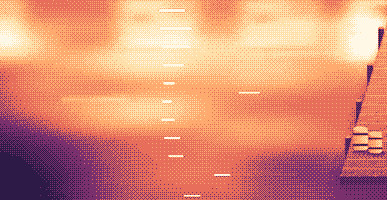
Your lines scroll right under the camera. They never show in your recordings or screenshots.
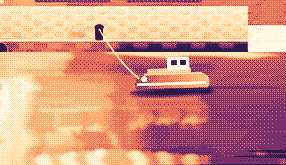
Hi, I'm Sam.
Today I want to show you
how I edit a video
in under two minutes.
First, I drop my recording
into Studio,
and the pauses are cut
before I even press play.
Then I add my music,
and I export.
Click a pixel and it's on your clipboard as HEX, RGB, HSL or SwiftUI. Your last 10 stay close.

Real posts and messages from people who tried it, word for word. Tap one to read the original.

Vedanth
@vedanthk_
The scroll sounds, every turn
“I love it dude! Especially the scroll sounds. You have put a lot of work into the app, and it shows at every turn. Very happy with it 🔥💯”

Iniyan
@iniyanai
Ripples right in the recording
“ripples baked right into the recording means no editing pass for demo videos, love it”
Customer
Shared without a name
7000 clicks in 2 days
“It's been a great experience with the clicky sounds haha, having about 7000 clicks in 2 days its crazy, Loved the concept!”

Joe
@joe_the_worker
Small sounds, big difference
“the app I never knew I needed 😂 incredible big a difference small sounds make”

Rakesh
@heyrakeshdotcom
Clicking and scrolling
“Loving the app Justinas… scrolling and clicking with it so satisfying”

Eknoor
@eknoor01
Bought it on day one
“Bought it the moment I got the mail, Been using it since, Loved it!”
Customer
Shared without a name
A happy customer
“Loving it, Thanks for building it man”
Dal vivo
Ogni clic fatto su clacky.app arriva qui, in tempo reale. Clicca in giro e guarda il numero salire.
Clac su questo sito, da sempre
Paesi in testa
Da sempre, dal vivo
Shown by country only, never anything finer.
One payment, no subscription. Move it to another Mac any time.
One licence is for 1 Mac. Secure checkout by Polar, in US dollars.
 Clacky
$4.99once
The price of a sound app, with a screen recorder, screenshots and Clackyland too. For 1 Mac, with every update.
Suoni: macOS 13+ · Screenshot: macOS 14+ · Registratore: macOS 15+
Opens Polar's checkout in a new tab.
I suoni della tastiera ascoltano solo pressione e rilascio dei tasti. Clacky non registra, non salva e non invia mai quali tasti scrivi, e rispetta Secure Input.
Try it first, right hereThe keyboard and the clicks at the top of this page are Clacky's real sounds. Play with them before you buy.
Clacky è una piccola app per la barra dei menu del Mac che suona un suono morbido a ogni clic, scorrimento e pressione di un tasto, in ogni app, e disegna un’onda sotto ogni clic. Registra anche lo schermo con i suoni dei clic nel video, fa screenshot e fa crescere una piccola città sul porto chiamata Clackyland mentre lavori.
Clacky è sicuro da usare. I suoni della tastiera ascoltano solo la pressione e il rilascio dei tasti. Clacky non registra, salva né invia mai quali tasti digiti, e rispetta Secure Input. È firmato e notarizzato da Apple, e per i suoni serve un solo permesso, il Monitoraggio dell’input; il registratore e gli screenshot chiedono la Registrazione schermo solo quando li usi.
Clacky costa $4.99 una volta sola, per 1 Mac, con ogni aggiornamento. Non c’è nessun abbonamento. Puoi prima provare i suoni dei clic e le onde nel browser, su clacky.app.
Sì, nel browser: la demo su clacky.app riproduce i suoni dei clic e le onde, così senti com’è Clacky prima di pagare. L’app costa $4.99 una volta sola, per 1 Mac, con ogni aggiornamento, e puoi chiedere un rimborso entro 7 giorni (14 giorni dove la legge locale te ne concede di più).
Sì, entro 7 giorni dall’acquisto (14 giorni dove la legge locale te ne concede di più). Scrivi a hello@clacky.app e il rimborso torna indietro tramite Polar, che gestisce il checkout.
Clacky funziona su qualsiasi Mac con macOS 13 Ventura o successivo, Apple silicon e Intel. Il registratore dello schermo richiede macOS 15 e lo studio degli screenshot macOS 14. Si vende solo su clacky.app, non nel Mac App Store.
Una licenza vale per 1 Mac alla volta e puoi spostarla quando vuoi: scegli Passa a un altro Mac in Clacky sul vecchio Mac, poi incolla la tua chiave sul nuovo. Per due Mac insieme, compra una seconda licenza. Hai comprato Clacky prima? La tua licenza tiene i Mac con cui è arrivata.
Clacky è leggero. Nel nostro controllo (29 ott 2026, Clacky 2.7.13 su un MacBook Pro M5 Pro con macOS 26.7.1) ha usato circa dall’1 al 3% di un core della CPU in un minuto in background. Non abbiamo ancora misurato la durata della batteria. Un interruttore nella barra dei menu spegne Clacky.
Sì. Clacky suona attraverso ciò che usa il tuo Mac, AirPods e cuffie Bluetooth compresi, e dalla 2.7.15 li segue quando li togli e li rimetti. Attiva Solo con le cuffie e i suoni non suonano mai sugli altoparlanti.
No. Clacky (clacky.app) è un’app a sé, fatta da un altro autore. Klack (tryklack.com) e Klakk (tryklakk.com) sono altre app di suoni per tastiera. Clacky suona anche mouse, trackpad e scorrimento, disegna un’onda al clic e registra lo schermo. Vedi Clacky vs Klack e Clacky vs Klakk.
Sì. I suoni suonano in qualsiasi app, giochi compresi (i suoni della tastiera si fermano mentre un’app ha Secure Input attivo, come in un campo password). Silenzio durante le chiamate, attivo per impostazione predefinita, tiene Clacky in silenzio mentre un’app di chiamata o il tuo browser usa il microfono (Zoom, Meet, FaceTime, Teams, Discord e altre), così chi è in chiamata non sente i tuoi clic. Per la chat vocale dentro un gioco, estendilo a qualsiasi app che usa il microfono, oppure aggiungi il gioco a Silenzio in queste app. L’onda è disegnata sul tuo schermo, quindi la vedono tutti quando condividi lo schermo.
Sì. L’onda è disegnata sul tuo schermo reale, quindi qualsiasi registratore la riprende, e il registratore di Clacky registra anche l’audio del tuo Mac, così i clic finiscono nel video. Il registratore richiede macOS 15.
37 suoni di clic in 8 famiglie (Arena, Desk, Studio, Toybox, Tingle, Fidget, Analog e Spooky), 29 suoni di tastiera in 9 famiglie e 8 stili di tic per lo scorrimento. Puoi sentirli tutti su clacky.app prima di installare.
Clackyland è una città sul porto dentro Clacky che cresce mentre usi il Mac. I tuoi clic sfornano biscotti nella Fabbrica di biscotti, i biscotti comprano look per il tuo Blip, la piccola creatura che ci vive, e gli edifici crescono più giorni usi il Mac.
Esci da Clacky e trascinalo dalla cartella Applicazioni al Cestino. Per fare pulizia, rimuovilo anche da Impostazioni di Sistema → Privacy e sicurezza → Monitoraggio dell’input (e Registrazione schermo, se hai usato il registratore), elimina la cartella Clacky in ~/Library/Application Support e il file ~/Library/Preferences/app.clacky.Clacky.plist. Le tue registrazioni restano in ~/Movies/Clacky e i tuoi screenshot in ~/Pictures/Clacky Screenshots finché non li elimini.
No. Registrazioni e screenshot restano salvati sul tuo Mac e lì rimangono, a meno che tu non li condivida.
Una volta al giorno ogni Mac invia un check-in anonimo: un ID casuale creato solo per questo, le versioni di Clacky e di macOS, e se è con licenza, così sappiamo quanti Mac usano Clacky. Non dice nulla su ciò che fai. Le statistiche d’uso sono separate e facoltative: Clacky chiede prima, e puoi disattivarle quando vuoi nelle Impostazioni (Condividi statistiche d’uso anonime). Dicono quali funzioni e suoni si usano, mai cosa scrivi, quali tasti premi, il tuo schermo o dove fai clic. Clacky si collega a internet anche per cercare aggiornamenti, verificare la licenza e, se li usi, per Amici e il Bazaar. La pagina della privacy elenca ogni richiesta.
Non ancora. Clacky è un’app per Mac. Lascia la tua email nella pagina dei feedback e saprai se le cose cambiano.
No. Se hai già comprato Clacky, la tua licenza continua a funzionare, con tutti gli aggiornamenti.
Click and key sounds, a screen recorder, screenshots, a tiny harbour town and 26 small tools.
$4.99 once, for 1 Mac, with every update.
Suoni: macOS 13+ · Screenshot: macOS 14+ · Registratore: macOS 15+