


Arena.
Crisp · Blitz
Crisp
A sharp, bright snap with nothing wasted.
 MacPip次のMacアプリは、ここに。新しい Mac アプリを見つけよう。自分のアプリも無料で公開できます。macpip.com →
クリック音とキー音、カーソルの波紋、画面収録、スクリーンショット、Clackyland。すべてメニューバーに。
Clacky は Mac 用アプリです。リンクをメールで受け取って、Mac で開いてください。
今すぐ購入して、あとでインストール · $4.99買い切り$4.99約 ¥788 (目安の金額です。お支払いは米ドルで、換算はカード会社・銀行が行います。)
サウンド: macOS 13以降 · スクリーンショット: macOS 14以降 · 画面収録: macOS 15以降
キー音はキーの押し下げと離しだけを聞き取ります。Clacky はどのキーを打ったかを記録・保存・送信せず、セキュア入力を尊重します。
なにか打つと30秒のタイピングテストが始まるよ
打った内容はこのページの外に出ません。スコアは、あなたが投稿したときだけ送られます。
 Clacky
 がひと目でわかります。カードごとにスイッチ、ドラッグで並べ替え。その他のツールは下にあります。
キーボードで打つと速度を計測
キーボード音
Clackyはキーボードも鳴らします。とろけるような「コトッ」からタイプライターのベルまで、9ファミリー29種類。お手持ちのキーボードで打つか、キーをタップしてみてください。
Clacky でできること
音、画面録画、スクリーンショット、小さな町。すべてメニューバーに。
Crisp Arena
37種類のクリック音
クリックのたびに波紋
キーを打つかタップしてみて。いま聞こえているのはMallowです。
キーボード音
どのキーを打ったかは記録・保存・送信しません。
キー音はキーの押し下げと離しだけを聞き取ります。Clacky はどのキーを打ったかを記録・保存・送信せず、セキュア入力を尊重します。
はじめからプライベート
スクロールの1ノッチごとに柔らかいティック
スクロールのティック
Clackyland、あなたのBlipの小さな町
矢印、ぼかし、フレーム付きのスクリーンショット
macOS 14以降が必要です
クリックと声も入る画面収録
macOS 15以降が必要です
37 click sounds in 8 families. Press play on any card to hear one, or tap a name to keep it.
Crisp · Blitz
A sharp, bright snap with nothing wasted.
Beige · Rollerball
Loud and hollow, like the mouse on a 90s desktop.
Hush · Tap
A muffled click for late nights.
Bubble · Pop
A round little bloop that rises as it pops.
Tok · Pebble
A hollow wooden block, struck once. Round and resonant.
Ballpoint · Airpop
A retractable pen: a plastic double click and a hint of spring.
Shutter · Toggle
A film camera firing: a crisp release, then the curtain.
Pumpkin · Cauldron
A knuckle on a big, hollow pumpkin: a deep, round thunk.
Clacky is yours to tune. Every one of these is a real setting in the app.
37 click sounds. Eight families, from Arena to Spooky.
29 keyboard sounds. Nine families, from creamy thock to a typewriter.
Ripples. Ring, Double, Glow or Dot, in your own colours.
Stereo. Off, Subtle or Wide, so a click on the left sounds left.
Levels. Press, release, scroll and keys, each its own slider.
Your notch. Small, Standard or Large, tiles in your order.
Card themes. Mac, Mac Light, Mac Dark, Clacky or one colour you pick.
Camera bubble. A circle, a rounded square, or 16:9, 4:3 and 9:16.
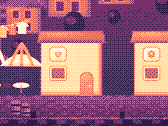
The Closet. Hats, scarves and more for your Blip, earned as you click.
Take a closer look
Pick a part and watch it come out of the notch.
 The notch at rest
Agents, recordings, music and batteries show up by the notch, then step aside when they're done.

Batteries
Mac Health
All calmYour agents, by the notch. When Claude Code is done or needs you, your Blip pops out to say so. Keep Awake can wait for it too.
26 small tools live inside Clacky, each with its own switch in My Kit. Keep them , turn the ones you don’t need, and they come back just as you left them.
Memory, CPU, battery, busy apps and what fills your disk, with Boop.
Stops your Mac and its screen from sleeping.
One shortcut mutes your mic in every app. Hold it to talk.
Your last 50 copies: search, pin, paste. Off by default, stays on this Mac.
Pick any colour on screen. Copied as HEX, RGB, HSL or SwiftUI.
Each app its own volume up to 200 %, mute and output.
Pomodoro sessions with soft ambient sound, live in the notch.
Quick notes and today's checklist. Stays on this Mac.
Type :sig, get your signature. Your snippets, anywhere you type.
Drag a window to an edge for halves and quarters, or use ⌃⌥ arrows.
Tuck rarely used menu bar icons behind a divider. Notch-safe.
Remove an app and the files it left in your Library. Moves to Trash.
Record, Code, Focus, Call, Quiet: one click switches a set of tools.
A cursor halo, drawing and zoom for demos and talks.
Your script under the camera. Never shows in recordings.
Turn any recording into a small, shareable GIF.
Read a QR code or barcode on screen. Links come without trackers.
Speak, and paste it as a prompt anywhere.
A sound and a nudge when your AI agent needs you.
Claude Code's tokens today and this week, and what they'd cost on the API.
Stops a worn mouse from double-clicking by itself.
Live up and down speed, and which apps are using it.
Save your Clacky set-up to a file and open it on your new Mac.
Spotify or Music in the notch: the song, its cover, play, pause and skip.
Boop catches a coin in the notch for every new sale on Polar or Stripe.
Your Mac, AirPods, mouse, keyboard and trackpad levels, in the notch.
Memory, CPU, battery, busy apps and what fills your disk, with Boop.
Stops your Mac and its screen from sleeping.
One shortcut mutes your mic in every app. Hold it to talk.
Your last 50 copies: search, pin, paste. Off by default, stays on this Mac.
Pick any colour on screen. Copied as HEX, RGB, HSL or SwiftUI.
Each app its own volume up to 200 %, mute and output.
Pomodoro sessions with soft ambient sound, live in the notch.
Quick notes and today's checklist. Stays on this Mac.
Type :sig, get your signature. Your snippets, anywhere you type.
Drag a window to an edge for halves and quarters, or use ⌃⌥ arrows.
Tuck rarely used menu bar icons behind a divider. Notch-safe.
Remove an app and the files it left in your Library. Moves to Trash.
Record, Code, Focus, Call, Quiet: one click switches a set of tools.
A cursor halo, drawing and zoom for demos and talks.
Your script under the camera. Never shows in recordings.
Turn any recording into a small, shareable GIF.
Read a QR code or barcode on screen. Links come without trackers.
Speak, and paste it as a prompt anywhere.
A sound and a nudge when your AI agent needs you.
Claude Code's tokens today and this week, and what they'd cost on the API.
Stops a worn mouse from double-clicking by itself.
Live up and down speed, and which apps are using it.
Save your Clacky set-up to a file and open it on your new Mac.
Spotify or Music in the notch: the song, its cover, play, pause and skip.
Boop catches a coin in the notch for every new sale on Polar or Stripe.
Your Mac, AirPods, mouse, keyboard and trackpad levels, in the notch.
All 26 on. Mac Health, Keep Awake, Mic Mute and the rest, one switch each.
For demos and talks. A ring follows your pointer, hold ⌃⌥D to draw and the ink fades when you let go, ⌃⌥Z zooms in where you click.
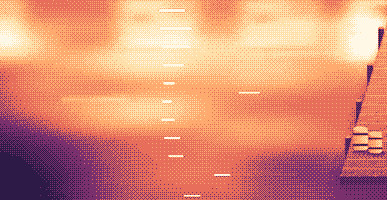
Your lines scroll right under the camera. They never show in your recordings or screenshots.
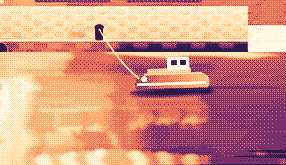
Hi, I'm Sam.
Today I want to show you
how I edit a video
in under two minutes.
First, I drop my recording
into Studio,
and the pauses are cut
before I even press play.
Then I add my music,
and I export.
Click a pixel and it's on your clipboard as HEX, RGB, HSL or SwiftUI. Your last 10 stay close.

Real posts and messages from people who tried it, word for word. Tap one to read the original.

Vedanth
@vedanthk_
The scroll sounds, every turn
“I love it dude! Especially the scroll sounds. You have put a lot of work into the app, and it shows at every turn. Very happy with it 🔥💯”

Iniyan
@iniyanai
Ripples right in the recording
“ripples baked right into the recording means no editing pass for demo videos, love it”
Customer
Shared without a name
7000 clicks in 2 days
“It's been a great experience with the clicky sounds haha, having about 7000 clicks in 2 days its crazy, Loved the concept!”

Joe
@joe_the_worker
Small sounds, big difference
“the app I never knew I needed 😂 incredible big a difference small sounds make”

Rakesh
@heyrakeshdotcom
Clicking and scrolling
“Loving the app Justinas… scrolling and clicking with it so satisfying”

Eknoor
@eknoor01
Bought it on day one
“Bought it the moment I got the mail, Been using it since, Loved it!”
Customer
Shared without a name
A happy customer
“Loving it, Thanks for building it man”
ライブ
clacky.app で誰かがクリックするたびに、ここにすぐ届きます。クリックして数字が増えるのを見てみてください。
このサイトのクリック数(累計)
クリックの多い国
累計・ライブ
Shown by country only, never anything finer.
One payment, no subscription. Move it to another Mac any time.
One licence is for 1 Mac. Secure checkout by Polar, in US dollars.
 Clacky
$4.99once
The price of a sound app, with a screen recorder, screenshots and Clackyland too. For 1 Mac, with every update.
サウンド: macOS 13以降 · スクリーンショット: macOS 14以降 · 画面収録: macOS 15以降
Opens Polar's checkout in a new tab.
キー音はキーの押し下げと離しだけを聞き取ります。Clacky はどのキーを打ったかを記録・保存・送信せず、セキュア入力を尊重します。
Try it first, right hereThe keyboard and the clicks at the top of this page are Clacky's real sounds. Play with them before you buy.
Clacky は、メニューバーに住む小さな Mac アプリです。どのアプリでも、クリック、スクロール、キー入力のたびにやわらかい音を鳴らし、クリックごとに波紋を描きます。クリック音ごと画面を録画し、スクリーンショットも撮れて、作業しているあいだに Clackyland という小さな港町も育てます。
Clacky は安全に使えます。キーボード音が聞くのはキーの押下と解放だけ。どのキーを打ったかを Clacky が記録・保存・送信することは決してなく、Secure Input も尊重します。Apple の署名と公証を受けていて、音に必要な許可は入力監視のひとつだけ。画面レコーダーとスクリーンショットが画面収録の許可を求めるのは、使うときだけです。
Clacky は Mac 1台で $4.99 の買い切りで、すべてのアップデートが含まれます。サブスクリプションはありません。まずは clacky.app で、クリック音と波紋をブラウザで試せます。
はい、ブラウザで試せます。clacky.app のデモでクリック音と波紋が鳴るので、お金を払う前に Clacky の雰囲気がわかります。アプリ本体は Mac 1台で $4.99 の買い切りで、すべてのアップデートが含まれます。7日以内なら返金も申し込めます(お住まいの地域の法律でより長い場合は14日間)。
はい、購入から 7日以内なら受けられます(お住まいの国の法律でもっと長い期間が認められる場合は 14日間)。hello@clacky.app にメールをいただければ、チェックアウトを担当する Polar を通じて返金されます。
Clacky は macOS 13 Ventura 以降のどの Mac でも動きます(Apple シリコンも Intel も)。画面レコーダーには macOS 15、スクリーンショットスタジオには macOS 14 が必要です。販売は clacky.app だけで、Mac App Store にはありません。
ライセンスは一度に Mac 1台分で、いつでも移せます。古い Mac の Clacky で「別のMacに移行」を選び、新しい Mac でキーを貼り付けてください。2台で同時に使うなら、2つ目のライセンスをご購入ください。以前に Clacky をご購入の方:ライセンスは付いてきた台数のままです。
Clacky は軽いアプリです。私たちの確認(2026年10月29日、macOS 26.7.1 の M5 Pro MacBook Pro で Clacky 2.7.13)では、バックグラウンドで 1 分動かしたあいだ、CPU の 1 コアの約 1〜3% を使いました。バッテリーの持ちはまだ測っていません。メニューバーのスイッチひとつで Clacky をオフにできます。
はい。Clacky は Mac の出力先(AirPods や Bluetooth ヘッドフォンを含む)でそのまま鳴り、2.7.15 以降は、外したり着け直したりしてもそれに追従します。「ヘッドフォンのときだけ」をオンにすれば、スピーカーでは決して鳴りません。
いいえ。Clacky(clacky.app)は別のアプリで、作っている人も違います。Klack(tryklack.com)と Klakk(tryklakk.com)は、ほかのキーボード音アプリです。Clacky はマウス、トラックパッド、スクロールの音も鳴らし、クリックの波紋を描き、画面も録画できます。Clacky vs Klack と Clacky vs Klakk をご覧ください。
はい。音はゲームを含むどのアプリでも鳴ります(パスワード欄のようにアプリが Secure Input をオンにしているあいだは、キーボード音は止まります)。初期設定でオンの「通話中は静かに」は、通話アプリやブラウザがマイクを使っているあいだ(Zoom、Meet、FaceTime、Teams、Discord など)Clacky を静かにするので、通話の相手にクリック音は聞こえません。ゲーム内のボイスチャットでは、マイクを使うどのアプリにも広げるか、ゲームを「これらのアプリでは静かに」に追加してください。波紋は画面に描かれるので、画面共有をすると相手にも見えます。
はい。波紋は実際の画面に描かれるので、どんなレコーダーでも映ります。Clacky の画面レコーダーは Mac の音も録るので、クリック音も動画に入ります。画面レコーダーには macOS 15 が必要です。
8つのファミリー(Arena、Desk、Studio、Toybox、Tingle、Fidget、Analog、Spooky)に 37 のクリック音、9つのファミリーに 29 のキーボード音、そして 8 種類のスクロールのチクチク音があります。インストールする前に、clacky.app ですべて聴けます。
Clackyland は Clacky の中にある港町で、Mac を使うほど育ちます。クリックがクッキー工場でクッキーを焼き、クッキーでそこに住む小さな生き物 Blip の見た目が買え、Mac を使う日が増えるほど建物が育ちます。
Clacky を終了して、アプリケーションからゴミ箱にドラッグしてください。きれいに片づけるなら、システム設定 → プライバシーとセキュリティ → 入力監視(画面レコーダーを使った場合は画面収録も)から Clacky を削除し、~/Library/Application Support の Clacky フォルダと、~/Library/Preferences/app.clacky.Clacky.plist のファイルも削除します。収録は ~/Movies/Clacky に、スクリーンショットは ~/Pictures/Clacky Screenshots に、削除するまで残ります。
いいえ。収録とスクリーンショットは Mac に保存され、ご自身で共有しないかぎりそこに留まります。
1 日に 1 回、すべての Mac が匿名のチェックインを送ります。このためだけに作られたランダムな ID、Clacky と macOS のバージョン、ライセンス済みかどうかで、Clacky を使っている Mac の数を知るためです。あなたが何をしているかは一切含みません。使用状況統計は別で任意です。Clacky が先に確認し、設定の「匿名の使用状況統計を共有」でいつでもオフにできます。どの機能やサウンドが使われているかはわかりますが、入力内容、押したキー、画面、クリックした場所はわかりません。Clacky は、アップデートの確認、ライセンスの確認、そして使う場合は Friends と Bazaar のためにもオンラインになります。すべての通信はプライバシーのページに載っています。
まだありません。Clacky は Mac アプリです。フィードバックのページにメールアドレスを残していただければ、変わったときにお知らせします。
いいえ。以前に Clacky をご購入いただいていれば、ライセンスはそのまま使えて、アップデートもすべて受け取れます。
Click and key sounds, a screen recorder, screenshots, a tiny harbour town and 26 small tools.
$4.99 once, for 1 Mac, with every update.
サウンド: macOS 13以降 · スクリーンショット: macOS 14以降 · 画面収録: macOS 15以降