


Arena.
Crisp · Blitz
Crisp
A sharp, bright snap with nothing wasted.
 MacPipஉங்கள் அடுத்த Mac ஆப் இங்கே.புதிய Mac ஆப்களைக் கண்டறியுங்கள், அல்லது உங்களுடையதை இலவசமாக வெளியிடுங்கள்.macpip.com →
கிளிக், விசை ஒலிகள், கர்சர் அலைகள், திரைப் பதிவி, ஸ்கிரீன்ஷாட்கள், Clackyland, எல்லாம் உங்கள் மெனு பட்டியில்.
Clacky ஒரு Mac ஆப். லிங்கை மின்னஞ்சலில் பெற்று உங்கள் Mac-ல் திறங்கள்.
அல்லது இப்போது வாங்குங்கள், பிறகு நிறுவுங்கள் · $4.99ஒரே முறை $4.99சுமார் ₹481 (தோராயமானது. கட்டணம் USD-ல்; உங்கள் வங்கி மாற்றிக்கொள்ளும்.)
ஒலிகள்: macOS 13+ · ஸ்கிரீன்ஷாட்: macOS 14+ · ரெக்கார்டர்: macOS 15+
விசை ஒலிகள் விசை அழுத்தம்/விடுவிப்பை மட்டுமே கேட்கும். நீங்கள் எந்த விசைகளைத் தட்டச்சு செய்கிறீர்கள் என்பதை Clacky ஒருபோதும் பதிவு செய்யாது, சேமிக்காது, அனுப்பாது; Secure Input-ஐ மதிக்கும்.
30 வினாடி வேக டெஸ்டைத் தொடங்க ஏதாவது டைப் செய்யுங்கள்
நீங்கள் டைப் செய்வது இந்தப் பக்கத்தை விட்டு ஒருபோதும் போகாது. நீங்கள் போஸ்ட் செய்தால் மட்டுமே ஸ்கோர் அனுப்பப்படும்.
 Clacky
உங்கள் Clacky ஒரே பார்வையில். ஒவ்வொரு அட்டைக்கும் ஒரு சுவிட்ச், வரிசை மாற்ற அட்டைகளை இழுக்கவும்; மேலும் கருவிகள் கீழே.
வேகத்தைச் சோதிக்க விசைப்பலகையில் தட்டச்சு செய்யுங்கள்
கீபோர்டு ஒலிகள்
Clacky உங்கள் கீபோர்டையும் இசைக்கும்: 9 குடும்பங்களில் 29 ஒலிகள், க்ரீமி thock முதல் டைப்ரைட்டர் மணி வரை. உங்கள் கீபோர்டில் டைப் செய்யுங்கள் அல்லது கீகளைத் தட்டுங்கள்.
Clacky என்ன செய்கிறது
ஒலிகள், ஸ்கிரீன் ரெக்கார்டர், ஸ்கிரீன்ஷாட்கள், ஒரு சிறிய நகரம். எல்லாமே உங்கள் மெனு பாரில்.
Crisp Arena
37 கிளிக் ஒலிகள்
ஒவ்வொரு கிளிக்கிலும் ஓர் அலை
ஒரு விசையைத் தட்டச்சு செய்யவும் அல்லது தொடவும். இப்போது கேட்பது Mallow.
விசைப்பலகை ஒலிகள்
நீங்கள் எந்த விசைகளைத் தட்டச்சு செய்கிறீர்கள் என்பதை ஒருபோதும் பதிவு செய்யாது, சேமிக்காது, அனுப்பாது.
விசை ஒலிகள் விசை அழுத்தம்/விடுவிப்பை மட்டுமே கேட்கும். நீங்கள் எந்த விசைகளைத் தட்டச்சு செய்கிறீர்கள் என்பதை Clacky ஒருபோதும் பதிவு செய்யாது, சேமிக்காது, அனுப்பாது; Secure Input-ஐ மதிக்கும்.
தொடக்கத்திலிருந்தே தனிப்பட்டது
ஒவ்வொரு ஸ்க்ரோல் படிக்கும் மென்மையான டிக்
ஸ்க்ரோல் டிக்குகள்
Clackyland, உங்கள் Blip-க்கான சிறிய நகரம்
அம்புக்குறி, மங்கலாக்கம், சட்டங்களுடன் ஸ்கிரீன்ஷாட்கள்
macOS 14 அல்லது புதியது தேவை
திரைப் பதிவி, உங்கள் கிளிக்குகளுடனும் குரலுடனும்
macOS 15 அல்லது புதியது தேவை
37 click sounds in 8 families. Press play on any card to hear one, or tap a name to keep it.
Crisp · Blitz
A sharp, bright snap with nothing wasted.
Beige · Rollerball
Loud and hollow, like the mouse on a 90s desktop.
Hush · Tap
A muffled click for late nights.
Bubble · Pop
A round little bloop that rises as it pops.
Tok · Pebble
A hollow wooden block, struck once. Round and resonant.
Ballpoint · Airpop
A retractable pen: a plastic double click and a hint of spring.
Shutter · Toggle
A film camera firing: a crisp release, then the curtain.
Pumpkin · Cauldron
A knuckle on a big, hollow pumpkin: a deep, round thunk.
Clacky is yours to tune. Every one of these is a real setting in the app.
37 click sounds. Eight families, from Arena to Spooky.
29 keyboard sounds. Nine families, from creamy thock to a typewriter.
Ripples. Ring, Double, Glow or Dot, in your own colours.
Stereo. Off, Subtle or Wide, so a click on the left sounds left.
Levels. Press, release, scroll and keys, each its own slider.
Your notch. Small, Standard or Large, tiles in your order.
Card themes. Mac, Mac Light, Mac Dark, Clacky or one colour you pick.
Camera bubble. A circle, a rounded square, or 16:9, 4:3 and 9:16.

The Closet. Hats, scarves and more for your Blip, earned as you click.
Take a closer look
Pick a part and watch it come out of the notch.
 The notch at rest
Agents, recordings, music and batteries show up by the notch, then step aside when they're done.

Batteries
Mac Health
All calmYour agents, by the notch. When Claude Code is done or needs you, your Blip pops out to say so. Keep Awake can wait for it too.
26 small tools live inside Clacky, each with its own switch in My Kit. Keep them , turn the ones you don’t need, and they come back just as you left them.
Memory, CPU, battery, busy apps and what fills your disk, with Boop.
Stops your Mac and its screen from sleeping.
One shortcut mutes your mic in every app. Hold it to talk.
Your last 50 copies: search, pin, paste. Off by default, stays on this Mac.
Pick any colour on screen. Copied as HEX, RGB, HSL or SwiftUI.
Each app its own volume up to 200 %, mute and output.
Pomodoro sessions with soft ambient sound, live in the notch.
Quick notes and today's checklist. Stays on this Mac.
Type :sig, get your signature. Your snippets, anywhere you type.
Drag a window to an edge for halves and quarters, or use ⌃⌥ arrows.
Tuck rarely used menu bar icons behind a divider. Notch-safe.
Remove an app and the files it left in your Library. Moves to Trash.
Record, Code, Focus, Call, Quiet: one click switches a set of tools.
A cursor halo, drawing and zoom for demos and talks.
Your script under the camera. Never shows in recordings.
Turn any recording into a small, shareable GIF.
Read a QR code or barcode on screen. Links come without trackers.
Speak, and paste it as a prompt anywhere.
A sound and a nudge when your AI agent needs you.
Claude Code's tokens today and this week, and what they'd cost on the API.
Stops a worn mouse from double-clicking by itself.
Live up and down speed, and which apps are using it.
Save your Clacky set-up to a file and open it on your new Mac.
Spotify or Music in the notch: the song, its cover, play, pause and skip.
Boop catches a coin in the notch for every new sale on Polar or Stripe.
Your Mac, AirPods, mouse, keyboard and trackpad levels, in the notch.
Memory, CPU, battery, busy apps and what fills your disk, with Boop.
Stops your Mac and its screen from sleeping.
One shortcut mutes your mic in every app. Hold it to talk.
Your last 50 copies: search, pin, paste. Off by default, stays on this Mac.
Pick any colour on screen. Copied as HEX, RGB, HSL or SwiftUI.
Each app its own volume up to 200 %, mute and output.
Pomodoro sessions with soft ambient sound, live in the notch.
Quick notes and today's checklist. Stays on this Mac.
Type :sig, get your signature. Your snippets, anywhere you type.
Drag a window to an edge for halves and quarters, or use ⌃⌥ arrows.
Tuck rarely used menu bar icons behind a divider. Notch-safe.
Remove an app and the files it left in your Library. Moves to Trash.
Record, Code, Focus, Call, Quiet: one click switches a set of tools.
A cursor halo, drawing and zoom for demos and talks.
Your script under the camera. Never shows in recordings.
Turn any recording into a small, shareable GIF.
Read a QR code or barcode on screen. Links come without trackers.
Speak, and paste it as a prompt anywhere.
A sound and a nudge when your AI agent needs you.
Claude Code's tokens today and this week, and what they'd cost on the API.
Stops a worn mouse from double-clicking by itself.
Live up and down speed, and which apps are using it.
Save your Clacky set-up to a file and open it on your new Mac.
Spotify or Music in the notch: the song, its cover, play, pause and skip.
Boop catches a coin in the notch for every new sale on Polar or Stripe.
Your Mac, AirPods, mouse, keyboard and trackpad levels, in the notch.
All 26 on. Mac Health, Keep Awake, Mic Mute and the rest, one switch each.
For demos and talks. A ring follows your pointer, hold ⌃⌥D to draw and the ink fades when you let go, ⌃⌥Z zooms in where you click.
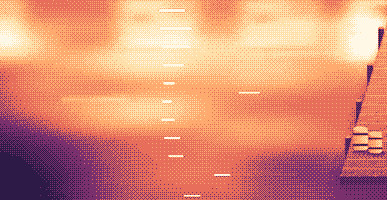
Your lines scroll right under the camera. They never show in your recordings or screenshots.
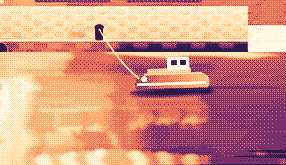
Hi, I'm Sam.
Today I want to show you
how I edit a video
in under two minutes.
First, I drop my recording
into Studio,
and the pauses are cut
before I even press play.
Then I add my music,
and I export.
Click a pixel and it's on your clipboard as HEX, RGB, HSL or SwiftUI. Your last 10 stay close.

Real posts and messages from people who tried it, word for word. Tap one to read the original.

Vedanth
@vedanthk_
The scroll sounds, every turn
“I love it dude! Especially the scroll sounds. You have put a lot of work into the app, and it shows at every turn. Very happy with it 🔥💯”

Iniyan
@iniyanai
Ripples right in the recording
“ripples baked right into the recording means no editing pass for demo videos, love it”
Customer
Shared without a name
7000 clicks in 2 days
“It's been a great experience with the clicky sounds haha, having about 7000 clicks in 2 days its crazy, Loved the concept!”

Joe
@joe_the_worker
Small sounds, big difference
“the app I never knew I needed 😂 incredible big a difference small sounds make”

Rakesh
@heyrakeshdotcom
Clicking and scrolling
“Loving the app Justinas… scrolling and clicking with it so satisfying”

Eknoor
@eknoor01
Bought it on day one
“Bought it the moment I got the mail, Been using it since, Loved it!”
Customer
Shared without a name
A happy customer
“Loving it, Thanks for building it man”
நேரலை
clacky.app-இல் யார் கிளிக் செய்தாலும் உடனே இங்கே தெரியும். கிளிக் செய்து எண் உயர்வதைப் பாருங்கள்.
இந்த இணையதளத்தின் கிளாக்குகள், இதுவரை
முன்னணி நாடுகள்
இதுவரை, நேரலை
Shown by country only, never anything finer.
One payment, no subscription. Move it to another Mac any time.
One licence is for 1 Mac. Secure checkout by Polar, in US dollars.
 Clacky
$4.99once
The price of a sound app, with a screen recorder, screenshots and Clackyland too. For 1 Mac, with every update.
ஒலிகள்: macOS 13+ · ஸ்கிரீன்ஷாட்: macOS 14+ · ரெக்கார்டர்: macOS 15+
Opens Polar's checkout in a new tab.
விசை ஒலிகள் விசை அழுத்தம்/விடுவிப்பை மட்டுமே கேட்கும். நீங்கள் எந்த விசைகளைத் தட்டச்சு செய்கிறீர்கள் என்பதை Clacky ஒருபோதும் பதிவு செய்யாது, சேமிக்காது, அனுப்பாது; Secure Input-ஐ மதிக்கும்.
Try it first, right hereThe keyboard and the clicks at the top of this page are Clacky's real sounds. Play with them before you buy.
Clacky ஒரு சிறிய Mac மெனு பார் ஆப், எல்லா ஆப்களிலும் ஒவ்வொரு கிளிக், ஸ்க்ரோல், கீ அழுத்தத்துக்கும் ஒரு மென்மையான ஒலியை இசைத்து, ஒவ்வொரு கிளிக்கின் கீழும் ஒரு அலையை வரைகிறது. கிளிக் ஒலிகள் வீடியோவிலேயே இருக்கும்படி உங்கள் திரையைப் பதிவுசெய்கிறது, ஸ்கிரீன்ஷாட்கள் எடுக்கிறது, நீங்கள் வேலை செய்யும்போது Clackyland என்ற சின்ன துறைமுக நகரத்தை வளர்க்கிறது.
Clacky பயன்படுத்தப் பாதுகாப்பானது. கீபோர்டு ஒலிகள் கீ கீழே/மேலே செல்வதை மட்டுமே கேட்கும். Clacky எந்தக் கீகளை டைப் செய்கிறீர்கள் என்பதை ஒருபோதும் பதிவுசெய்யாது, சேமிக்காது, அனுப்பாது, மேலும் Secure Input-ஐ மதிக்கிறது. இது Apple-ஆல் கையொப்பமிடப்பட்டு notarize செய்யப்பட்டது, அதன் ஒலிகளுக்கு Input Monitoring என்ற ஒரே அனுமதி தேவை; ரெக்கார்டரும் ஸ்கிரீன்ஷாட்களும் நீங்கள் பயன்படுத்தும்போது மட்டுமே Screen Recording கேட்கும்.
Clacky 1 Mac-க்கு ஒரே முறை $4.99, எல்லா அப்டேட்களுடனும். சந்தா இல்லை. clacky.app-இல் முதலில் உங்கள் உலாவியில் கிளிக் ஒலிகளையும் அலைகளையும் முயன்று பார்க்கலாம்.
ஆம், உங்கள் உலாவியில்: clacky.app-இல் உள்ள டெமோ கிளிக் ஒலிகளையும் அலைகளையும் இயக்கும், பணம் கட்டும் முன் Clacky எப்படி இருக்கும் என்று கேட்கலாம். ஆப் 1 Mac-க்கு ஒரே முறை $4.99, எல்லா அப்டேட்களுடனும், 7 நாளுக்குள் பணம் திரும்பக் கேட்கலாம் (உங்கள் உள்ளூர்ச் சட்டம் அதிக நாள் தரும் இடங்களில் 14 நாள்).
ஆம், வாங்கிய 7 நாளுக்குள் (உங்கள் உள்ளூர்ச் சட்டம் அதிக நாள் தரும் இடங்களில் 14 நாள்). hello@clacky.app-க்கு மின்னஞ்சல் அனுப்புங்கள், செக்அவுட்டைக் கையாளும் Polar வழியாகப் பணம் திரும்பி வரும்.
Clacky macOS 13 Ventura அல்லது அதற்குப் பிந்தைய எந்த Mac-லும் இயங்கும், Apple silicon மற்றும் Intel. ஸ்கிரீன் ரெக்கார்டருக்கு macOS 15 தேவை, ஸ்கிரீன்ஷாட் ஸ்டுடியோவுக்கு macOS 14. இது clacky.app-ல் மட்டுமே விற்கப்படுகிறது, Mac App Store-ல் இல்லை.
ஒரு உரிமம் ஒரு நேரத்தில் 1 Mac-க்கு, நீங்கள் விரும்பும்போதெல்லாம் அதை மாற்றலாம்: பழைய Mac-ல் Clacky-ல் வேறு Mac-க்கு மாற்று என்பதைத் தேர்ந்தெடுத்து, புதியதில் உங்கள் சாவியை ஒட்டுங்கள். ஒரே நேரத்தில் இரண்டு Mac-களுக்கு, இரண்டாவது உரிமம் வாங்குங்கள். முன்பே Clacky வாங்கினீர்களா? உங்கள் உரிமம் அது வந்த Mac-களை அப்படியே வைத்திருக்கும்.
Clacky லேசானது. எங்கள் சொந்தச் சோதனையில் (29 Oct 2026, macOS 26.7.1 உள்ள M5 Pro MacBook Pro-வில் Clacky 2.7.13) பின்னணியில் ஒரு நிமிடம் இயங்கியபோது அது ஒரு CPU core-ல் சுமார் 1 முதல் 3% பயன்படுத்தியது. பேட்டரி ஆயுளை நாங்கள் இன்னும் அளக்கவில்லை. மெனு பாரில் ஒரு சுவிட்ச் Clacky-ஐ அணைக்கும்.
ஆம். உங்கள் Mac எதன் வழியே ஒலிக்கிறதோ அதன் வழியே Clacky இசைக்கும், AirPods, Bluetooth ஹெட்ஃபோன்கள் உட்பட, 2.7.15 முதல் நீங்கள் அவற்றைக் கழற்றி மீண்டும் போடும்போது அவற்றைப் பின்தொடரும். ஹெட்ஃபோனில் மட்டும் என்பதை ஆன் செய்தால் ஒலிகள் ஒருபோதும் ஸ்பீக்கரில் ஒலிக்காது.
இல்லை. Clacky (clacky.app) ஒரு தனி ஆப், வேறொரு உருவாக்குநரால் செய்யப்பட்டது. Klack (tryklack.com), Klakk (tryklakk.com) வேறு கீபோர்டு ஒலி ஆப்கள். Clacky மவுஸ், டிராக்பேட், ஸ்க்ரோல் ஒலிகளையும் இசைத்து, கிளிக் அலையை வரைந்து, உங்கள் திரையைப் பதிவுசெய்கிறது. Clacky vs Klack, Clacky vs Klakk பாருங்கள்.
ஆம். ஒலிகள் எந்த ஆப்பிலும் இசைக்கும், கேம்கள் உட்பட (ஒரு ஆப்பில் கடவுச்சொல் புலம் போல Secure Input ஆன் ஆக இருக்கும்போது கீபோர்டு ஒலிகள் நிற்கும்). இயல்பாக ஆன் ஆக இருக்கும் அழைப்புகளின்போது அமைதி, ஒரு அழைப்பு ஆப் அல்லது உங்கள் browser மைக்கைப் பயன்படுத்தும்போது Clacky-ஐ அமைதியாக வைக்கும் (Zoom, Meet, FaceTime, Teams, Discord மற்றும் பிற), அதனால் அழைப்பில் உள்ளவர்களுக்கு உங்கள் கிளிக்குகள் கேட்காது. கேமுக்குள் voice chat-க்கு, மைக்கைப் பயன்படுத்தும் எந்த ஆப்புக்கும் இதை விரிவாக்குங்கள், அல்லது அந்த கேமை இந்த ஆப்களில் அமைதியில் சேர்க்கவும். அலை உங்கள் திரையில் வரையப்படுவதால், நீங்கள் திரையைப் பகிரும்போது மக்கள் அதைப் பார்ப்பார்கள்.
ஆம். அலை உங்கள் உண்மையான திரையில் வரையப்படுவதால், எந்த ரெக்கார்டரும் அதைப் படம்பிடிக்கும். Clacky-ன் சொந்த ரெக்கார்டர் உங்கள் Mac-ன் ஒலியையும் பதிவுசெய்வதால், கிளிக்குகள் வீடியோவிலேயே இருக்கும். ரெக்கார்டருக்கு macOS 15 தேவை.
8 குடும்பங்களில் (Arena, Desk, Studio, Toybox, Tingle, Fidget, Analog, Spooky) 37 கிளிக் ஒலிகள், 9 குடும்பங்களில் 29 கீபோர்டு ஒலிகள், 8 ஸ்க்ரோல் டிக் பாணிகள். நிறுவும் முன் ஒவ்வொன்றையும் clacky.app-ல் கேட்கலாம்.
Clackyland என்பது Clacky-க்குள் உள்ள ஒரு துறைமுக நகரம், நீங்கள் Mac-ஐப் பயன்படுத்தும்போது வளரும். உங்கள் கிளிக்குகள் குக்கீ தொழிற்சாலையில் குக்கீகளைச் சுடுகின்றன, குக்கீகள் அங்கே வாழும் சின்ன உயிரான உங்கள் Blip-க்குத் தோற்றங்களை வாங்குகின்றன, நீங்கள் Mac-ஐ எத்தனை நாள் பயன்படுத்துகிறீர்களோ அவ்வளவு கட்டடங்கள் வளரும்.
Clacky-இலிருந்து வெளியேறி, அதை Applications-லிருந்து Trash-க்கு இழுங்கள். முழுமையாகச் சுத்தம் செய்ய, System Settings → Privacy & Security → Input Monitoring-லிருந்தும் (ரெக்கார்டரைப் பயன்படுத்தியிருந்தால் Screen Recording-லிருந்தும்) அதை நீக்குங்கள், ~/Library/Application Support-ல் உள்ள Clacky ஃபோல்டரையும் ~/Library/Preferences/app.clacky.Clacky.plist ஃபைலையும் அழியுங்கள். உங்கள் பதிவுகள் ~/Movies/Clacky-லும் ஸ்கிரீன்ஷாட்கள் ~/Pictures/Clacky Screenshots-லும், நீங்கள் அழிக்கும் வரை இருக்கும்.
இல்லை. பதிவுகளும் ஸ்கிரீன்ஷாட்களும் உங்கள் Mac-லேயே சேமிக்கப்படும், நீங்களே பகிரும் வரை அங்கேயே இருக்கும்.
ஒரு நாளுக்கு ஒருமுறை ஒவ்வொரு Mac-ம் அநாமதேய செக்-இன் அனுப்புகிறது: இதற்காக மட்டுமே உருவாக்கிய ரேண்டம் ID, Clacky மற்றும் macOS பதிப்புகள், உரிமம் பெற்றதா என்பது, எத்தனை Mac-கள் Clacky-ஐப் பயன்படுத்துகின்றன என்று நாங்கள் அறிய. நீங்கள் என்ன செய்கிறீர்கள் என்பது பற்றி அது எதுவும் சொல்லாது. பயன்பாட்டுப் புள்ளிவிவரங்கள் தனியானவை, விருப்பத்துக்குரியவை: Clacky முதலில் கேட்கும், எப்போது வேண்டுமானாலும் Settings-ல் அணைக்கலாம் (அநாமதேய பயன்பாட்டுப் புள்ளிவிவரங்களைப் பகிர்). அவை எந்த அம்சங்கள், ஒலிகள் பயன்படுத்தப்படுகின்றன என்பதைச் சொல்லும், நீங்கள் டைப் செய்வதை, எந்தக் கீகளை அழுத்துகிறீர்கள் என்பதை, உங்கள் திரையை, நீங்கள் எங்கே கிளிக் செய்கிறீர்கள் என்பதை ஒருபோதும் சொல்லாது. அப்டேட்களைச் சரிபார்க்க, உங்கள் உரிமத்தைச் சரிபார்க்க, நீங்கள் பயன்படுத்தினால் Friends, Bazaar-க்கும் Clacky இணையத்துக்குச் செல்லும். தனியுரிமைப் பக்கம் ஒவ்வொரு கோரிக்கையையும் பட்டியலிடுகிறது.
இன்னும் இல்லை. Clacky ஒரு Mac ஆப். கருத்துப் பக்கத்தில் உங்கள் மின்னஞ்சலை விட்டுச் செல்லுங்கள்; அது மாறினால் உங்களுக்குத் தெரியவரும்.
இல்லை. முன்பே Clacky வாங்கியிருந்தால் உங்கள் உரிமம் எல்லா அப்டேட்களுடனும் தொடர்ந்து வேலை செய்யும்.
Click and key sounds, a screen recorder, screenshots, a tiny harbour town and 26 small tools.
$4.99 once, for 1 Mac, with every update.
ஒலிகள்: macOS 13+ · ஸ்கிரீன்ஷாட்: macOS 14+ · ரெக்கார்டர்: macOS 15+