


Arena.
Crisp · Blitz
Crisp
A sharp, bright snap with nothing wasted.
 MacPip다음 Mac 앱은 여기에 있어요.새로운 Mac 앱을 찾아보거나, 내 앱을 무료로 출시하세요.macpip.com →
클릭음과 키 소리, 커서 물결, 화면 녹화, 스크린샷, Clackyland까지, 모두 메뉴 막대에.
Clacky는 Mac 앱이에요. 링크를 이메일로 받아서 Mac에서 열어 주세요.
아니면 지금 사고 나중에 설치하기 · $4.99한 번 $4.99약 ₩6,936 (대략적인 금액이에요. 결제는 미국 달러로 되고, 환전은 카드사나 은행이 해요.)
사운드: macOS 13 이상 · 스크린샷: macOS 14 이상 · 화면 녹화: macOS 15 이상
키보드 사운드는 키를 누르고 떼는 것만 들어요. Clacky는 어떤 키를 입력했는지 절대 기록, 저장, 전송하지 않고, 보안 입력을 존중해요.
아무거나 입력하면 30초 속도 테스트가 시작돼요
입력한 내용은 이 페이지 밖으로 나가지 않아요. 점수는 직접 올릴 때만 전송돼요.
 Clacky
를 한눈에. 카드마다 스위치 하나, 드래그로 순서 변경. 추가 도구는 아래에 있어요.
키보드로 타이핑해 속도를 재 보세요
키보드 사운드
Clacky는 키보드 소리도 내요: 9가지 계열의 사운드 29개, 크리미한 도각거림부터 타자기 벨까지. 키보드로 쳐 보거나 키를 탭해 보세요.
Clacky가 하는 일
소리, 화면 녹화, 스크린샷, 그리고 작은 마을. 전부 메뉴 막대 안에서요.
Crisp Arena
클릭 소리 37개
클릭할 때마다 물결
키를 누르거나 탭해 보세요. 지금 들리는 소리는 Mallow입니다.
키보드 소리
어떤 키를 입력했는지 절대 기록, 저장, 전송하지 않아요.
키보드 사운드는 키를 누르고 떼는 것만 들어요. Clacky는 어떤 키를 입력했는지 절대 기록, 저장, 전송하지 않고, 보안 입력을 존중해요.
처음부터 프라이빗
스크롤 한 칸마다 부드러운 틱
스크롤 틱
Clackyland, 내 Blip을 위한 작은 마을
화살표, 흐림, 프레임이 있는 스크린샷
macOS 14 이상 필요
클릭과 목소리가 담기는 화면 녹화
macOS 15 이상 필요
37 click sounds in 8 families. Press play on any card to hear one, or tap a name to keep it.
Crisp · Blitz
A sharp, bright snap with nothing wasted.
Beige · Rollerball
Loud and hollow, like the mouse on a 90s desktop.
Hush · Tap
A muffled click for late nights.
Bubble · Pop
A round little bloop that rises as it pops.
Tok · Pebble
A hollow wooden block, struck once. Round and resonant.
Ballpoint · Airpop
A retractable pen: a plastic double click and a hint of spring.
Shutter · Toggle
A film camera firing: a crisp release, then the curtain.
Pumpkin · Cauldron
A knuckle on a big, hollow pumpkin: a deep, round thunk.
Clacky is yours to tune. Every one of these is a real setting in the app.
37 click sounds. Eight families, from Arena to Spooky.
29 keyboard sounds. Nine families, from creamy thock to a typewriter.
Ripples. Ring, Double, Glow or Dot, in your own colours.
Stereo. Off, Subtle or Wide, so a click on the left sounds left.
Levels. Press, release, scroll and keys, each its own slider.
Your notch. Small, Standard or Large, tiles in your order.
Card themes. Mac, Mac Light, Mac Dark, Clacky or one colour you pick.
Camera bubble. A circle, a rounded square, or 16:9, 4:3 and 9:16.
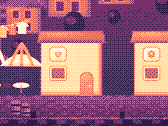
The Closet. Hats, scarves and more for your Blip, earned as you click.
Take a closer look
Pick a part and watch it come out of the notch.
 The notch at rest
Agents, recordings, music and batteries show up by the notch, then step aside when they're done.

Batteries
Mac Health
All calmYour agents, by the notch. When Claude Code is done or needs you, your Blip pops out to say so. Keep Awake can wait for it too.
26 small tools live inside Clacky, each with its own switch in My Kit. Keep them , turn the ones you don’t need, and they come back just as you left them.
Memory, CPU, battery, busy apps and what fills your disk, with Boop.
Stops your Mac and its screen from sleeping.
One shortcut mutes your mic in every app. Hold it to talk.
Your last 50 copies: search, pin, paste. Off by default, stays on this Mac.
Pick any colour on screen. Copied as HEX, RGB, HSL or SwiftUI.
Each app its own volume up to 200 %, mute and output.
Pomodoro sessions with soft ambient sound, live in the notch.
Quick notes and today's checklist. Stays on this Mac.
Type :sig, get your signature. Your snippets, anywhere you type.
Drag a window to an edge for halves and quarters, or use ⌃⌥ arrows.
Tuck rarely used menu bar icons behind a divider. Notch-safe.
Remove an app and the files it left in your Library. Moves to Trash.
Record, Code, Focus, Call, Quiet: one click switches a set of tools.
A cursor halo, drawing and zoom for demos and talks.
Your script under the camera. Never shows in recordings.
Turn any recording into a small, shareable GIF.
Read a QR code or barcode on screen. Links come without trackers.
Speak, and paste it as a prompt anywhere.
A sound and a nudge when your AI agent needs you.
Claude Code's tokens today and this week, and what they'd cost on the API.
Stops a worn mouse from double-clicking by itself.
Live up and down speed, and which apps are using it.
Save your Clacky set-up to a file and open it on your new Mac.
Spotify or Music in the notch: the song, its cover, play, pause and skip.
Boop catches a coin in the notch for every new sale on Polar or Stripe.
Your Mac, AirPods, mouse, keyboard and trackpad levels, in the notch.
Memory, CPU, battery, busy apps and what fills your disk, with Boop.
Stops your Mac and its screen from sleeping.
One shortcut mutes your mic in every app. Hold it to talk.
Your last 50 copies: search, pin, paste. Off by default, stays on this Mac.
Pick any colour on screen. Copied as HEX, RGB, HSL or SwiftUI.
Each app its own volume up to 200 %, mute and output.
Pomodoro sessions with soft ambient sound, live in the notch.
Quick notes and today's checklist. Stays on this Mac.
Type :sig, get your signature. Your snippets, anywhere you type.
Drag a window to an edge for halves and quarters, or use ⌃⌥ arrows.
Tuck rarely used menu bar icons behind a divider. Notch-safe.
Remove an app and the files it left in your Library. Moves to Trash.
Record, Code, Focus, Call, Quiet: one click switches a set of tools.
A cursor halo, drawing and zoom for demos and talks.
Your script under the camera. Never shows in recordings.
Turn any recording into a small, shareable GIF.
Read a QR code or barcode on screen. Links come without trackers.
Speak, and paste it as a prompt anywhere.
A sound and a nudge when your AI agent needs you.
Claude Code's tokens today and this week, and what they'd cost on the API.
Stops a worn mouse from double-clicking by itself.
Live up and down speed, and which apps are using it.
Save your Clacky set-up to a file and open it on your new Mac.
Spotify or Music in the notch: the song, its cover, play, pause and skip.
Boop catches a coin in the notch for every new sale on Polar or Stripe.
Your Mac, AirPods, mouse, keyboard and trackpad levels, in the notch.
All 26 on. Mac Health, Keep Awake, Mic Mute and the rest, one switch each.
For demos and talks. A ring follows your pointer, hold ⌃⌥D to draw and the ink fades when you let go, ⌃⌥Z zooms in where you click.
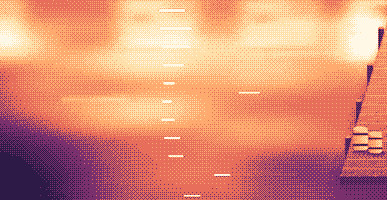
Your lines scroll right under the camera. They never show in your recordings or screenshots.
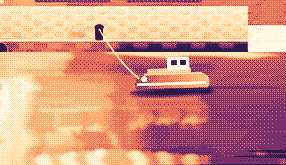
Hi, I'm Sam.
Today I want to show you
how I edit a video
in under two minutes.
First, I drop my recording
into Studio,
and the pauses are cut
before I even press play.
Then I add my music,
and I export.
Click a pixel and it's on your clipboard as HEX, RGB, HSL or SwiftUI. Your last 10 stay close.

Real posts and messages from people who tried it, word for word. Tap one to read the original.

Vedanth
@vedanthk_
The scroll sounds, every turn
“I love it dude! Especially the scroll sounds. You have put a lot of work into the app, and it shows at every turn. Very happy with it 🔥💯”

Iniyan
@iniyanai
Ripples right in the recording
“ripples baked right into the recording means no editing pass for demo videos, love it”
Customer
Shared without a name
7000 clicks in 2 days
“It's been a great experience with the clicky sounds haha, having about 7000 clicks in 2 days its crazy, Loved the concept!”

Joe
@joe_the_worker
Small sounds, big difference
“the app I never knew I needed 😂 incredible big a difference small sounds make”

Rakesh
@heyrakeshdotcom
Clicking and scrolling
“Loving the app Justinas… scrolling and clicking with it so satisfying”

Eknoor
@eknoor01
Bought it on day one
“Bought it the moment I got the mail, Been using it since, Loved it!”
Customer
Shared without a name
A happy customer
“Loving it, Thanks for building it man”
실시간
clacky.app에서 누군가 클릭하면 바로 여기에 나타나요. 클릭해 보고 숫자가 올라가는 걸 보세요.
이 웹사이트의 클랙, 누적
상위 나라
누적, 실시간
Shown by country only, never anything finer.
One payment, no subscription. Move it to another Mac any time.
One licence is for 1 Mac. Secure checkout by Polar, in US dollars.
 Clacky
$4.99once
The price of a sound app, with a screen recorder, screenshots and Clackyland too. For 1 Mac, with every update.
사운드: macOS 13 이상 · 스크린샷: macOS 14 이상 · 화면 녹화: macOS 15 이상
Opens Polar's checkout in a new tab.
키보드 사운드는 키를 누르고 떼는 것만 들어요. Clacky는 어떤 키를 입력했는지 절대 기록, 저장, 전송하지 않고, 보안 입력을 존중해요.
Try it first, right hereThe keyboard and the clicks at the top of this page are Clacky's real sounds. Play with them before you buy.
Clacky는 모든 앱에서 클릭, 스크롤, 키 입력마다 부드러운 소리를 내고, 클릭할 때마다 물결을 그리는 작은 Mac 메뉴 막대 앱이에요. 클릭 소리가 담기게 화면을 녹화하고, 스크린샷을 찍고, 일하는 동안 Clackyland라는 작은 항구 마을도 키워요.
Clacky는 안심하고 써도 돼요. 키보드 사운드는 키가 눌리고 떼어지는 것만 들어요. 어떤 키를 쳤는지 Clacky는 절대 기록, 저장, 전송하지 않고, 보안 입력도 존중해요. Apple의 서명과 공증을 받았고, 소리에는 입력 모니터링 권한 하나만 필요해요. 녹화와 스크린샷은 쓸 때만 화면 녹화 권한을 요청해요.
Clacky는 Mac 1대에 한 번 $4.99이고, 모든 업데이트가 포함돼요. 구독은 없어요. 먼저 clacky.app에서 클릭 소리와 리플을 브라우저로 써 볼 수 있어요.
네, 브라우저에서요. clacky.app의 데모에서 클릭 소리와 리플이 나오니, 돈을 내기 전에 Clacky가 어떤지 들어 볼 수 있어요. 앱 자체는 Mac 1대에 한 번 $4.99이고, 모든 업데이트가 포함돼요. 7일 안에 환불도 요청할 수 있어요(현지 법에서 더 길게 보장하면 14일).
네, 구매 후 7일 안에 가능해요(현지 법이 더 긴 기간을 보장하면 14일). hello@clacky.app으로 이메일을 보내 주시면 결제를 처리하는 Polar를 통해 환불돼요.
Clacky는 macOS 13 Ventura 이상의 모든 Mac에서 작동해요. Apple 실리콘과 Intel 모두 돼요. 화면 녹화에는 macOS 15, 스크린샷 스튜디오에는 macOS 14가 필요해요. clacky.app에서만 판매하고, Mac App Store에는 없어요.
라이선스 하나는 한 번에 Mac 1대용이고, 언제든 옮길 수 있어요. 이전 Mac의 Clacky에서 다른 Mac으로 이동을 고른 다음, 새 Mac에 키를 붙여넣으세요. 두 대에서 동시에 쓰려면 라이선스를 하나 더 사세요. 예전에 Clacky를 사셨나요? 그 라이선스는 받은 Mac 대수를 그대로 유지해요.
Clacky는 가벼워요. 저희가 직접 확인했을 때(2026년 10월 29일, macOS 26.7.1의 M5 Pro MacBook Pro에서 Clacky 2.7.13) 백그라운드에서 1분 동안 CPU 코어 하나의 약 1~3%를 썼어요. 배터리 수명은 아직 측정하지 않았어요. 메뉴 막대의 스위치 하나로 Clacky를 끌 수 있어요.
네. Clacky는 Mac이 소리를 내는 곳이면 어디로든 재생돼요. AirPods와 Bluetooth 헤드폰도 포함이에요. 2.7.15부터는 헤드폰을 뺐다 다시 끼워도 따라가요. 헤드폰일 때만을 켜면 스피커에서는 절대 소리가 나지 않아요.
아니요. Clacky(clacky.app)는 다른 제작자가 만든 별개의 앱이에요. Klack(tryklack.com)과 Klakk(tryklakk.com)는 다른 키보드 소리 앱이에요. Clacky는 마우스, 트랙패드, 스크롤 소리도 내고, 클릭 물결을 그리고, 화면도 녹화해요. Clacky vs Klack과 Clacky vs Klakk를 보세요.
네. 소리는 게임을 포함해 어떤 앱에서든 나요(암호 필드처럼 앱이 보안 입력을 켠 동안에는 키보드 소리가 멈춰요). 기본으로 켜져 있는 통화 중 조용히는 통화 앱이나 브라우저가 마이크를 쓰는 동안(Zoom, Meet, FaceTime, Teams, Discord 등) Clacky를 조용하게 해서, 통화 상대에게 클릭 소리가 들리지 않아요. 게임 안 음성 채팅이라면 마이크를 쓰는 모든 앱으로 넓히거나, 게임을 이 앱에서는 조용히에 추가하세요. 물결은 화면에 그려지니까 화면을 공유하면 상대도 볼 수 있어요.
네. 물결은 실제 화면에 그려지니까 어떤 녹화 앱으로 찍어도 보여요. Clacky 자체 녹화는 Mac의 소리도 함께 담아서 클릭 소리가 영상에 들어가요. 화면 녹화에는 macOS 15가 필요해요.
8개 패밀리(Arena, Desk, Studio, Toybox, Tingle, Fidget, Analog, Spooky)의 클릭 소리 37가지, 9개 패밀리의 키보드 소리 29가지, 스크롤 틱 스타일 8가지예요. 설치하기 전에 clacky.app에서 모두 들어 볼 수 있어요.
Clackyland는 Clacky 안에 있는, Mac을 쓸수록 자라는 항구 마을이에요. 클릭하면 쿠키 공장에서 쿠키가 구워지고, 쿠키로 그곳에 사는 작은 친구 Blip의 새 모습을 사고, Mac을 쓰는 날이 늘수록 건물이 자라요.
Clacky를 종료하고 응용 프로그램에서 휴지통으로 끌어다 놓으세요. 깔끔하게 지우려면 시스템 설정 → 개인정보 보호 및 보안 → 입력 모니터링에서도 지우고(녹화를 썼다면 화면 녹화에서도), ~/Library/Application Support의 Clacky 폴더와 ~/Library/Preferences/app.clacky.Clacky.plist 파일을 삭제하세요. 녹화본은 ~/Movies/Clacky에, 스크린샷은 ~/Pictures/Clacky Screenshots에 직접 지울 때까지 남아 있어요.
아니요. 녹화본과 스크린샷은 내 Mac에 저장되고, 직접 공유하지 않는 한 그대로 남아 있어요.
하루에 한 번 모든 Mac이 익명 체크인을 보내요. 이 용도로만 만든 무작위 ID, Clacky와 macOS 버전, 라이선스가 있는지를 보내며, Clacky를 쓰는 Mac이 몇 대인지 알기 위한 거예요. 내가 하는 일에 관한 내용은 없어요. 사용 통계는 별개이고 선택이에요. Clacky가 먼저 묻고, 설정에서 언제든 끌 수 있어요(익명 사용 통계 공유). 어떤 기능과 소리를 쓰는지만 알려 주고, 입력하는 내용, 누르는 키, 화면, 클릭하는 위치는 절대 알려 주지 않아요. 그 밖에 Clacky가 온라인에 연결하는 건 업데이트 확인, 라이선스 확인, 그리고 쓴다면 Friends와 Bazaar 때문이에요. 개인정보 페이지에 모든 요청이 적혀 있어요.
아직 없어요. Clacky는 Mac 앱이에요. 피드백 페이지에 이메일을 남겨 주시면 달라질 때 알려 드릴게요.
아니요. 예전에 Clacky를 구매하셨다면 라이선스는 그대로 쓸 수 있고, 모든 업데이트도 받아요.
Click and key sounds, a screen recorder, screenshots, a tiny harbour town and 26 small tools.
$4.99 once, for 1 Mac, with every update.
사운드: macOS 13 이상 · 스크린샷: macOS 14 이상 · 화면 녹화: macOS 15 이상